


Opening an account for yourself
In 10 minutes and without BSN


Advantages of using the app
- Access to your account within 2 hours
- Secure, simple and fast
- Open within 10 minutes
- Start without BSN
- 4.5 out of 5 stars in app reviews
- Google Pay and Apple Pay payment options
How it works
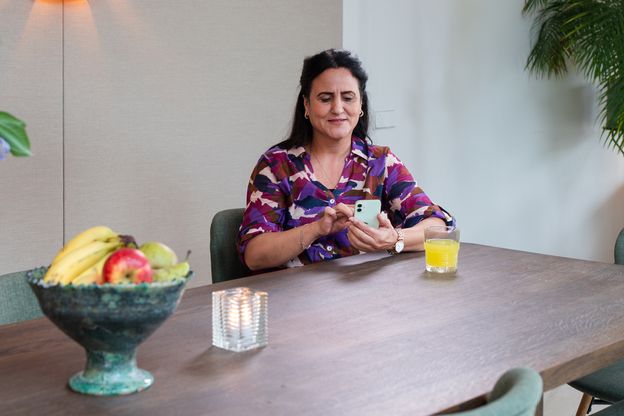
Welcome! The quickest way to open an account is using your mobile. The current account (including 1 debit card) is part of the €4.30 per month. Most Dutch people use a debit card to pay for everyday things such as food, drinks and clothing. You will receive your debit card within 5 business days.
How to open an account
You can easily open a current account (bank account) for yourself via the ABN AMRO app. You will then receive the Basic Payment Package: a current account, a debit card and access to online banking services. Read below to see how you open an account step by step.
How do I open a current account? In 7 steps.
Step 1: Download the app
Download the ABN AMRO app and click 'Open account'. You can apply for a current account with the ABN AMRO app if you:
- are at least 18 years old
- have an official home address in the Netherlands. Are you officially resident abroad or are you an expat? Then please contact us.
- have a valid Dutch identity card, residence permit or international passport
- are liable to tax in the Netherlands
Don't have a BSN yet? Then you can still open an account. However, you must provide us with your BSN within 120 days after opening your account.

Step 2: Choose your email address and password
Enter your personal email address. This should be an email address that only you use for your ABN AMRO account. Once you enter your email address, you will receive a one-time verification code. Use this code to confirm your email address, then choose a password
Step 3: Submit your proof of identity
Take a picture of your identity document. You can open a current account through the ABN AMRO app with the following identity documents:
- Dutch ID (identity card, driving licence or passport)
- European identity card (except an identity card from Denmark, Greece, Iceland, Switzerland and Romania)
- International passport
- Residence permit (type I, II, III, IV, V, EU/EEA or EU/EEA family member)
Tips for your photo:
- Avoid glare and do not use the flash
- Make sure your passport is within the frame
- Use a dark background
Step 4: Take a picture
Take a picture of yourself using your mobile phone so that we can check that you are the person on the identity document.
Tips for your photo:
- Take the photo in a light environment
- Make sure you do not have any backlight (e.g. from the sun behind you)
- Hold the camera directly in front of your face
Step 5: Answer some questions
We want to get to know you better so that we can provide you with the best service. That is why we want to ask you to answer a few questions and check that everything is correct. If the data is correct, confirm your application by entering the unique code.
As of 1 January 2025 we change the fees and conditions of our payment products. Read more about these changes.
Step 6: You've sent your application!
We will check the information you have entered and open your account for you. You will be updated on the status of your request by text message and email within 4 hours after completing the application. If your application is approved, the message will also explain the next steps. Your account will soon be ready to use.
Step 7: Upload your proof of residence
When you open an account with a non-Dutch passport or ID, we need to verify that you live in the Netherlands. We therefore need your proof of residence in the Netherlands.
Once your proof of residence has been approved, you can start using your account or take out other products. Read more about providing proof of residence.
Please note: an extract from the Non-residents Records Database (in Dutch: Registratie Niet-ingezetenen or RNI) will not be accepted.
Step 1: Download the app
Download the ABN AMRO app and click 'Open account'. You can apply for a current account with the ABN AMRO app if you:
- are at least 18 years old
- have an official home address in the Netherlands. Are you officially resident abroad or are you an expat? Then please contact us.
- have a valid Dutch identity card, residence permit or international passport
- are liable to tax in the Netherlands
Don't have a BSN yet? Then you can still open an account. However, you must provide us with your BSN within 120 days after opening your account.
Step 2: Choose your email address and password
Enter your personal email address. This should be an email address that only you use for your ABN AMRO account. Once you enter your email address, you will receive a one-time verification code. Use this code to confirm your email address, then choose a password
Step 3: Submit your proof of identity
Take a picture of your identity document. You can open a current account through the ABN AMRO app with the following identity documents:
- Dutch ID (identity card, driving licence or passport)
- European identity card (except an identity card from Denmark, Greece, Iceland, Switzerland and Romania)
- International passport
- Residence permit (type I, II, III, IV, V, EU/EEA or EU/EEA family member)
Tips for your photo:
- Avoid glare and do not use the flash
- Make sure your passport is within the frame
- Use a dark background
Step 4: Take a picture
Take a picture of yourself using your mobile phone so that we can check that you are the person on the identity document.
Tips for your photo:
- Take the photo in a light environment
- Make sure you do not have any backlight (e.g. from the sun behind you)
- Hold the camera directly in front of your face
Step 5: Answer some questions
We want to get to know you better so that we can provide you with the best service. That is why we want to ask you to answer a few questions and check that everything is correct. If the data is correct, confirm your application by entering the unique code.
As of 1 January 2025 we change the fees and conditions of our payment products. Read more about these changes.
Step 6: You've sent your application!
We will check the information you have entered and open your account for you. You will be updated on the status of your request by text message and email within 4 hours after completing the application. If your application is approved, the message will also explain the next steps. Your account will soon be ready to use.
Step 7: Upload your proof of residence
When you open an account with a non-Dutch passport or ID, we need to verify that you live in the Netherlands. We therefore need your proof of residence in the Netherlands.
Once your proof of residence has been approved, you can start using your account or take out other products. Read more about providing proof of residence.
Please note: an extract from the Non-residents Records Database (in Dutch: Registratie Niet-ingezetenen or RNI) will not be accepted.

Need help with opening an account?
Want to open an account and need some help? We're happy to help! Contact us through Customer Service.
See all telephone numbers and opening hours. Please note that there will be a waiting time.
Frequently Asked Questions by other international clients

Switching Dutch banks without a hitch
If switching banks feels like a hassle, you can make it easy by using our free switching service. Request the switching service once your account has been opened. We will then make sure that everything runs smoothly.
Create your own payment package
The Basic Payment Package contains a current account, a debit card and access to online banking services. It is a flexible payment package, which means you choose what you want in addition to your basic package. For example, you may want to have a credit card or an extra debit card. You only pay for what you use. If something changes, that's no problem. You can easily make changes online.
Apps that make your life easier
ABN AMRO app

Set up alerts. Check your balance. With our ABN AMRO app you can arrange your banking affairs safely and simply.
Tikkie

Simply request a refund, for example via WhatsApp. Another bank? No problem. Tikkie is for everyone!
