
The security key is personal and cannot be shared. Each account holder needs their own security key to log in securely and to confirm actions in Internet Banking.

Help with the security key
Which topics can we help you with?
How do you register the security key? How do you log in with the security key? And what should you do if you lose the security key? We’re happy to explain. If you’d like more help, our manuals or help videos give a step-by-step explanation. Choose the help that is right for you.

Am I eligible for a security key?
The security key is for clients with a personal account who only use the e.dentifier for Internet Banking. If this applies to you, you will receive a personal invitation from us between June 2026 and December 2026. Until then, you can continue using the e.dentifier as you normally do.
Help with the security key
Here's how to register the security key
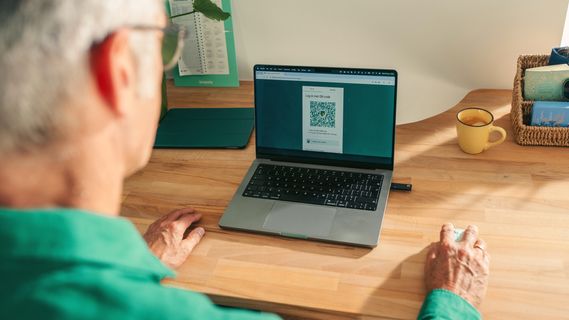
Log in to Internet Banking using your e.dentifier. Open the message: ‘Important: register your security key’. Follow all the steps to register your security key.
Here's how to log in with the security key

Insert the security key into your computer. Then click the Login button at the top-right corner. Next, choose Log in using the security key and follow the instructions.
Lost your security key?
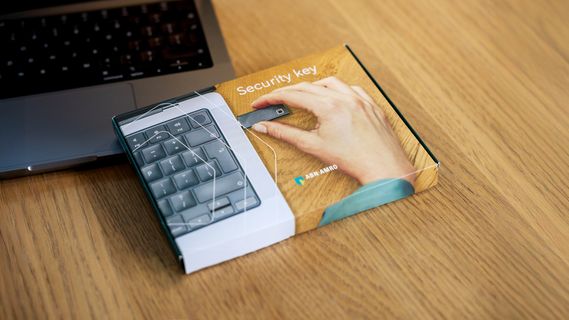
Have you lost your security key? You can remove the security key from your authentication methods yourself and request a new one.

Forgotten the PIN for your security key?
Whoops, you’ve forgotten the PIN for your security key. No problem, it can happen to anyone. You can request a new PIN yourself on the PIN reset page.

Need help? We’re happy to assist
Are you wondering whether you can take care of this yourself? Or are you concerned about someone close to you? We understand that this may raise questions. That’s why we’re here to help.
You can count on:
- Clear step-by-step explanations
- Easy-to-understand guidelines and videos
- Assistance via our dedicated phone number: +31 20 517 60 76 (on weekdays from 9.00 AM to 5.00 PM, standard call charges apply)
- Personal support from a Banking Assistance Advisor
- Support via SeniorWeb locations near you
Of course, we’re also here to support the people helping you, such as family members or caregivers.