

The security key
Access to Internet Banking without a smartphone
Reasons for the security key
- Log in easily with your personal security key
- Very secure, so you’re the only one with access
- No smartphone or app needed

Want a security key? You need a personal invitation
The security key is for clients with a personal account who only use the e.dentifier for Internet Banking. If this applies to you, you will receive a personal invitation from us between June 2026 and December 2026. Until then, you can continue using the e.dentifier as you normally do.
If you use the ABN AMRO app to log in, you don’t need a security key and you won’t receive an invitation. This is how we’re making sure that everyone can securely make the switch step by step.
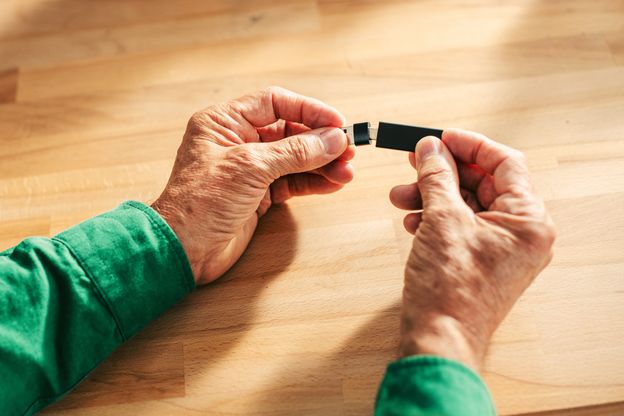
Logging in without a smartphone or the app
The security key (a type of USB stick) lets you log in and confirm orders securely on Internet Banking. You don’t need a smartphone or the app, as you log in using a combination of the key, your email address and your PIN. You then carry on banking on your computer in the usual way.
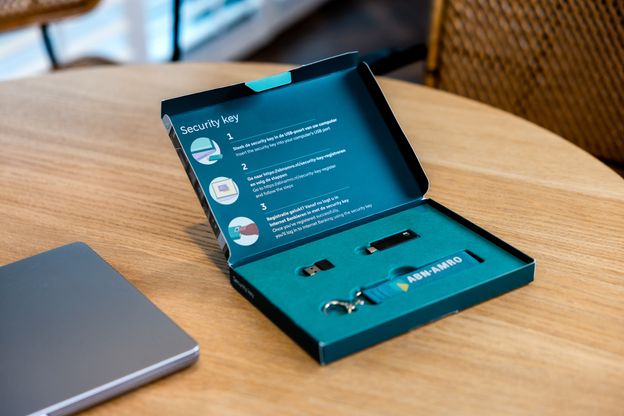
Register the security key
Before you use the security key for the first time, you need to register it. The security key then becomes your personal access key to your banking. The registration process is quick and easy: it takes less than 10 minutes.

Logging in to Internet Banking is easy
Log in to Internet Banking using your security key in just a few simple steps. Insert the security key into your computer, enter your details and tap the back of the key. Then continue banking as usual. We’d be happy to show you how it works.
Lost security key

Lost your security key or had it stolen? Read on to find out what you can do.
Forgotten the PIN for the security key

Forgotten the PIN for your security key? Read on to find out what you can do.
More help with the security key

If you need some more help with the security key, contact us or take a look at the FAQs.