
Forgotten the PIN for the security key
Apple Mac

How to reset your security key
This step-by-step guide will show you how to reset your security key if it’s been blocked after 8 failed attempts. It’ll take you less than 10 minutes to complete all the steps. Be sure to have the following ready:
• ABN AMRO debit card
• e.dentifier
• Security key
• Computer running the MacOS operating system
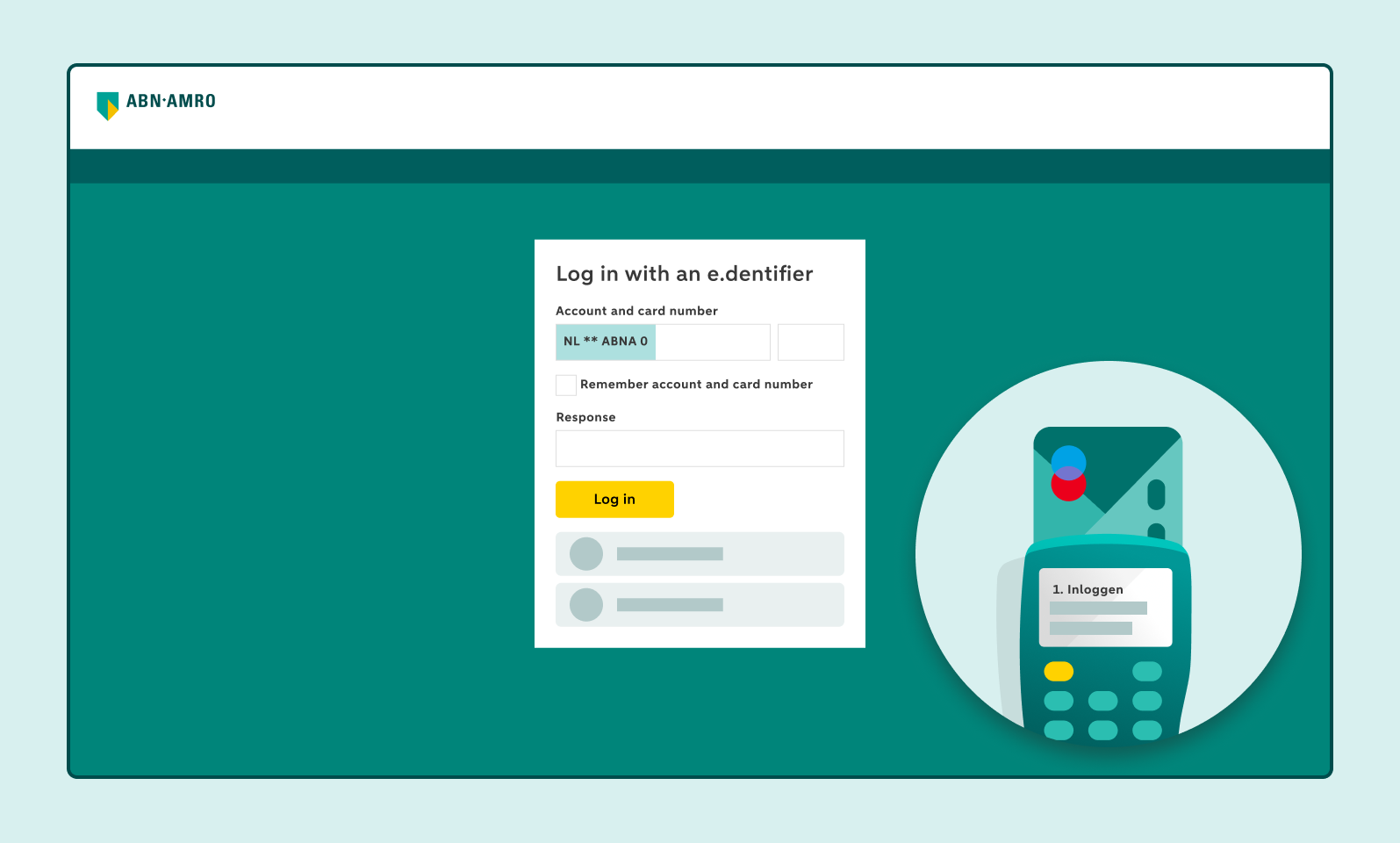
Log in with the e.dentifier
Log in to Internet Banking using the e.dentifier.
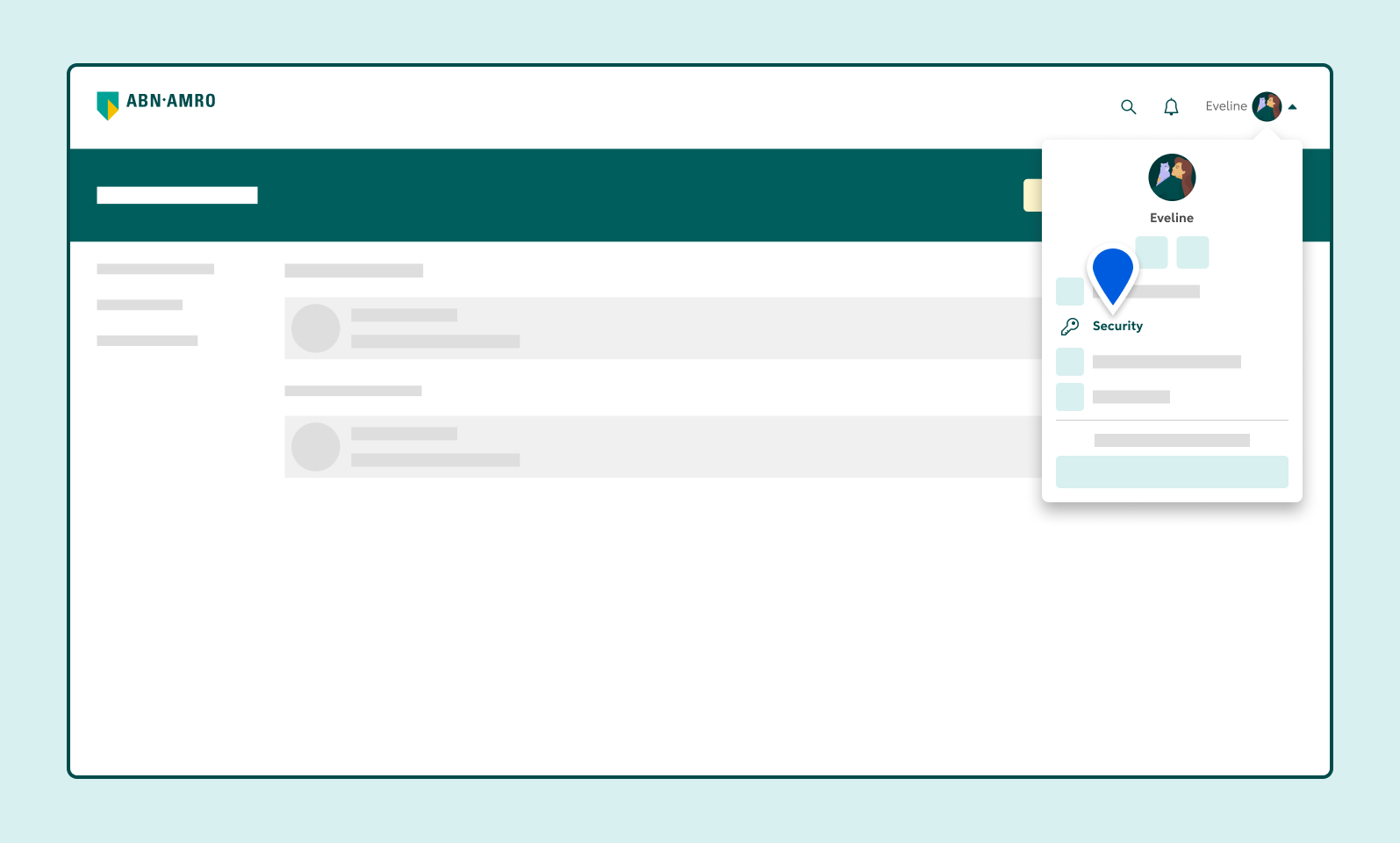
Click Security in your profile
Click your profile, in the top right where you see your name. Then click Security.
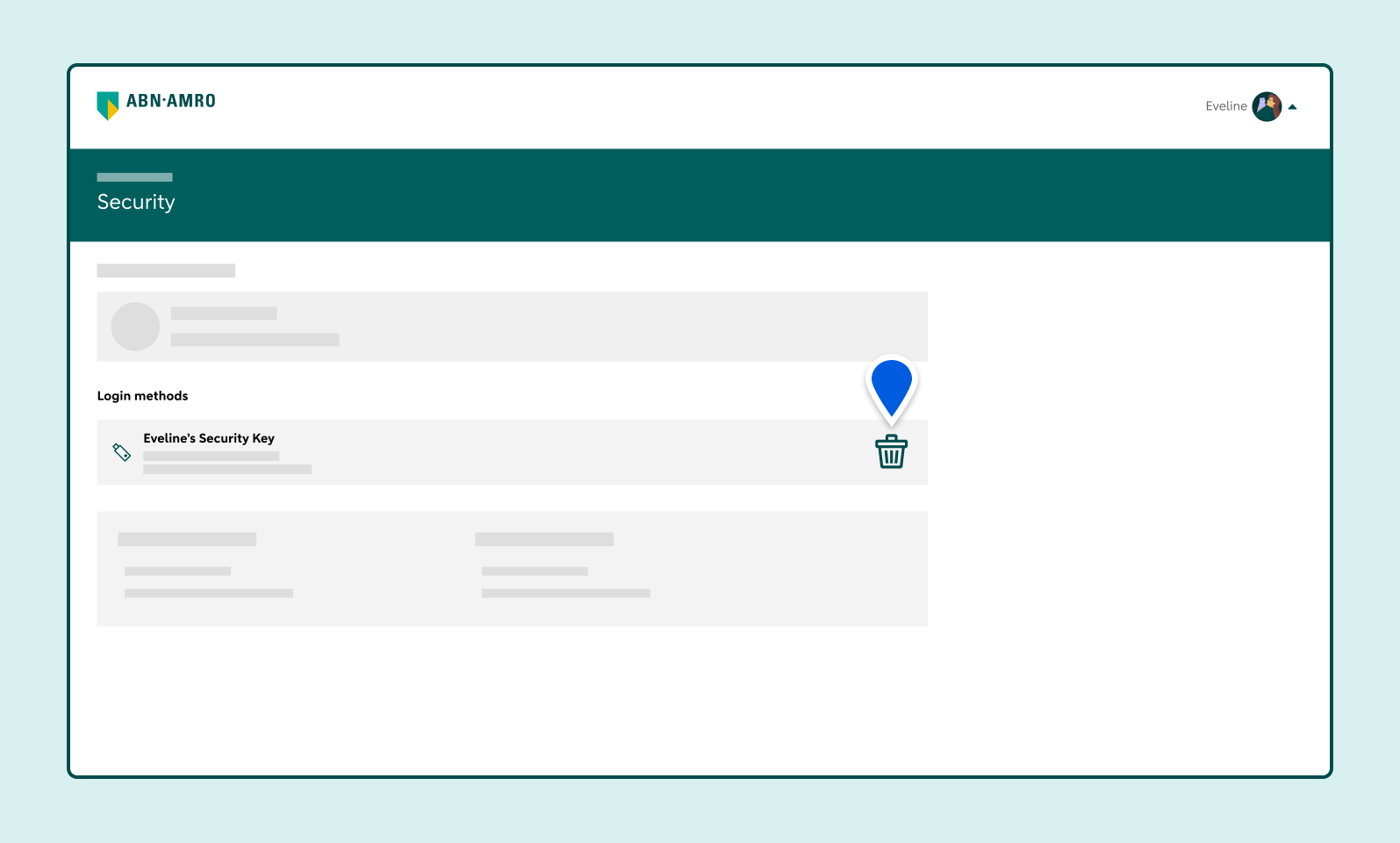
Delete your security key
Click the bin icon to delete your security key.
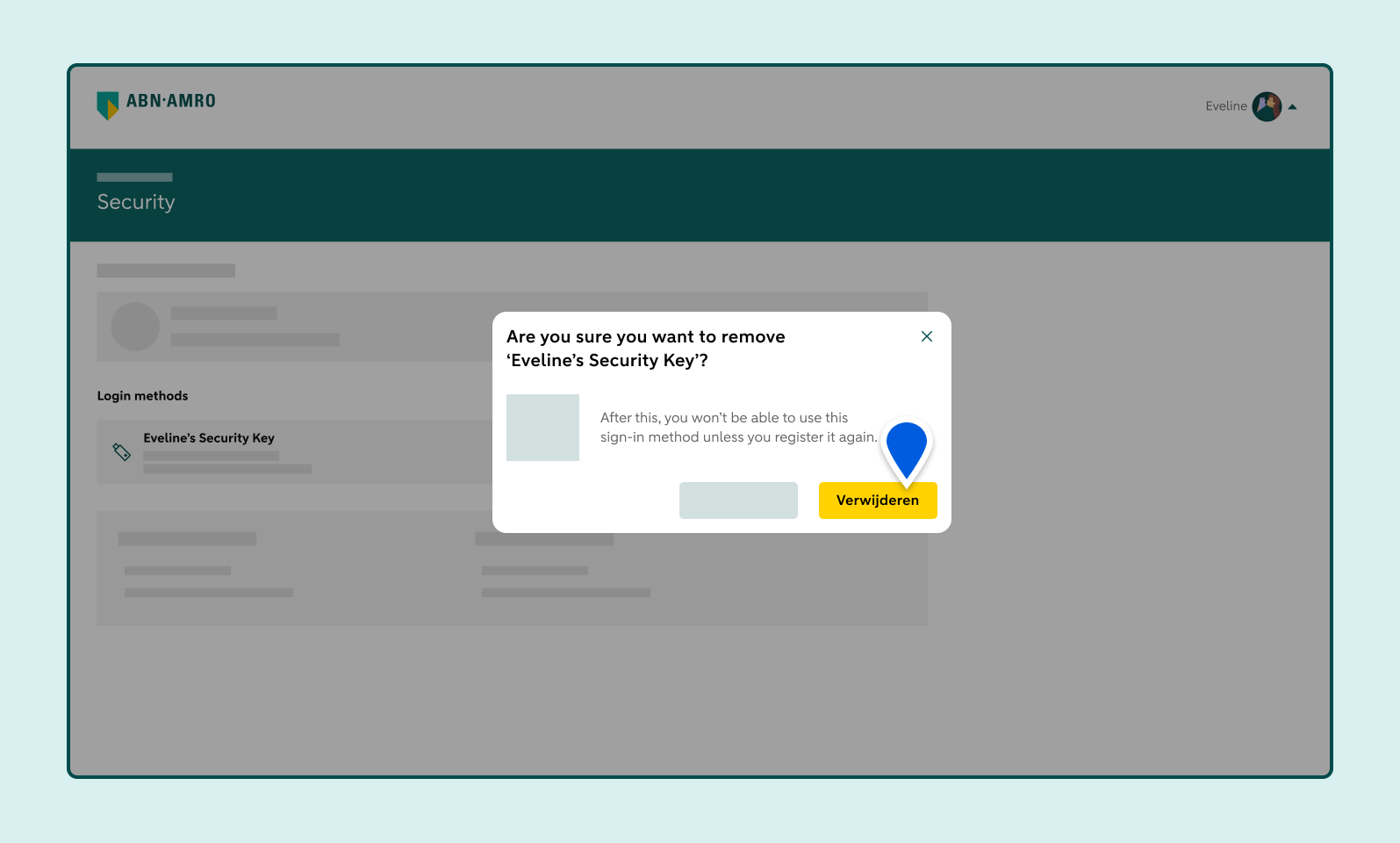
Click Delete
Click the Delete button to confirm.
Open the Chrome web browser and click the 3 vertical dots
Open the Chrome web browser. If you don’t have it installed, download it from the App Store.
Click the 3 vertical dots in the top-right corner of your screen.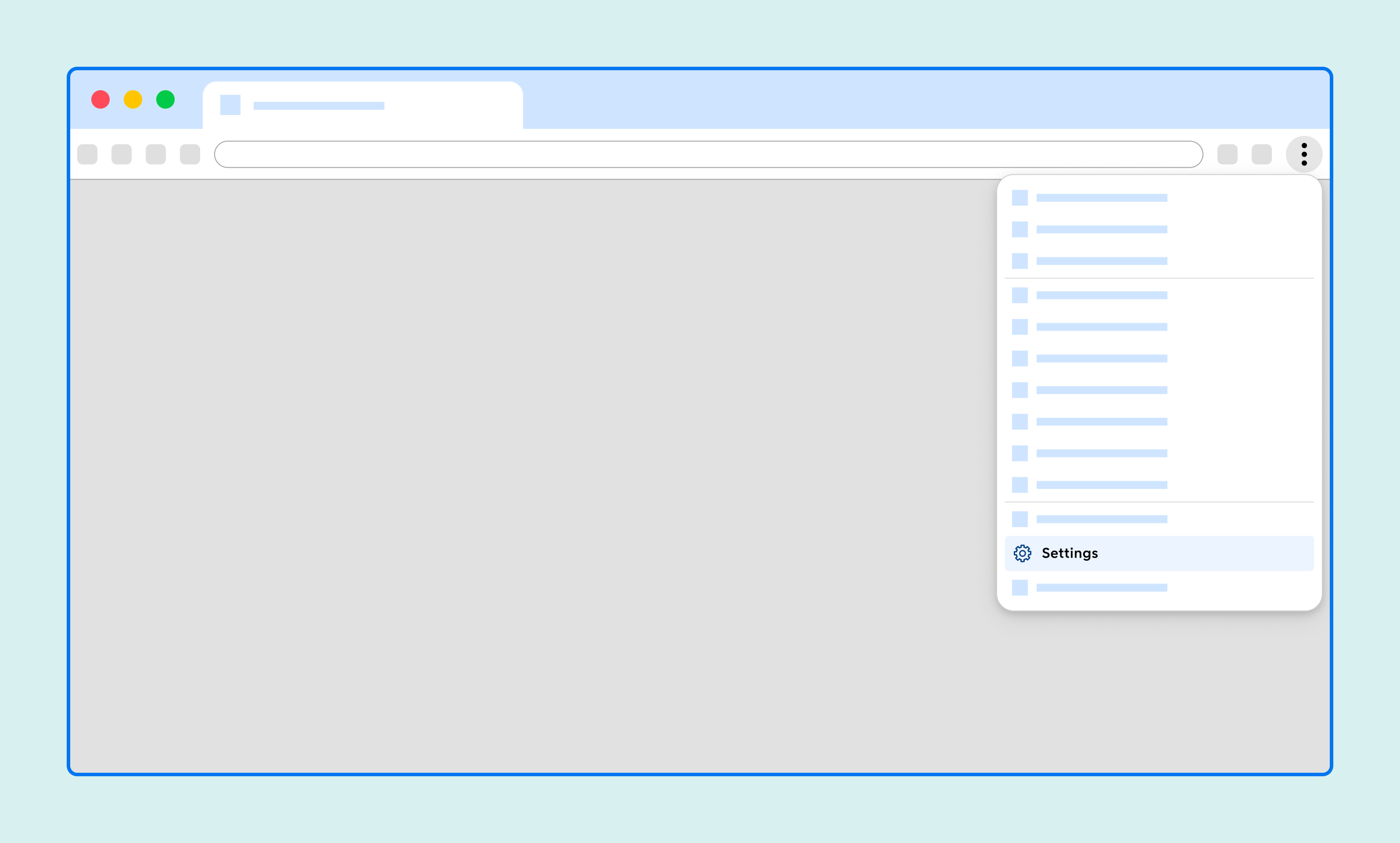
Go to Settings
Click Settings.
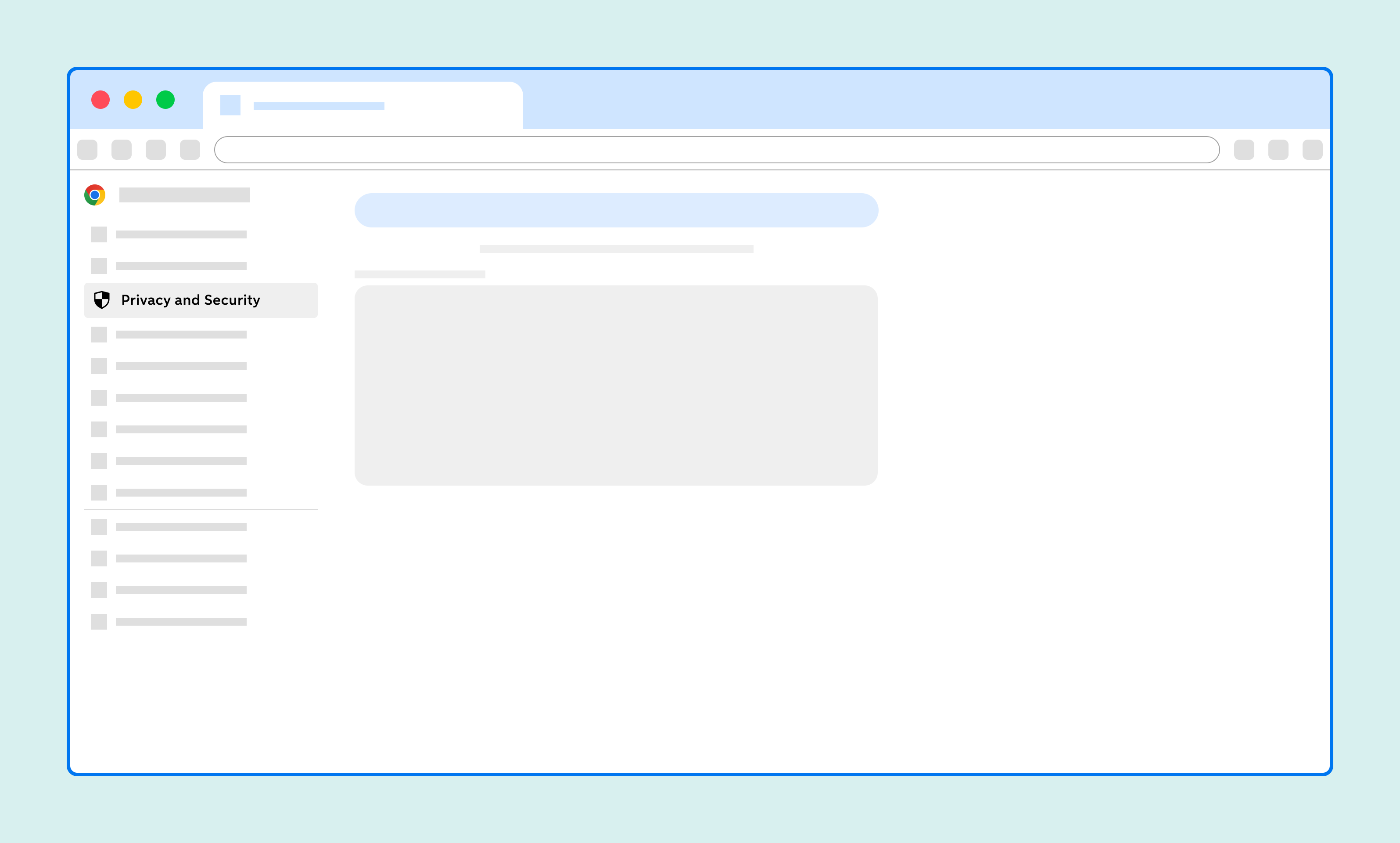
Go to Privacy and security
Click Privacy and security.
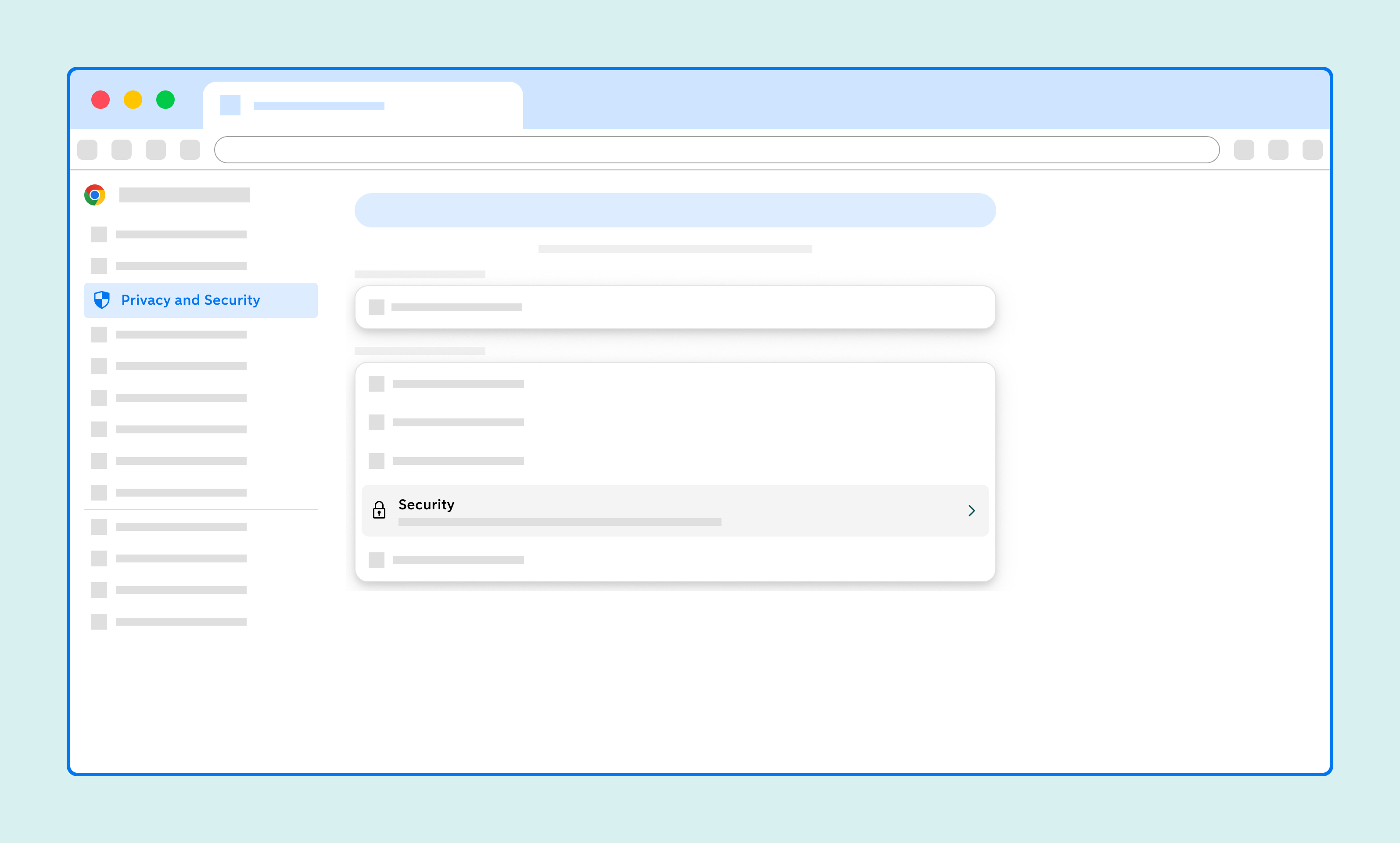
Go to Security
Click Security.
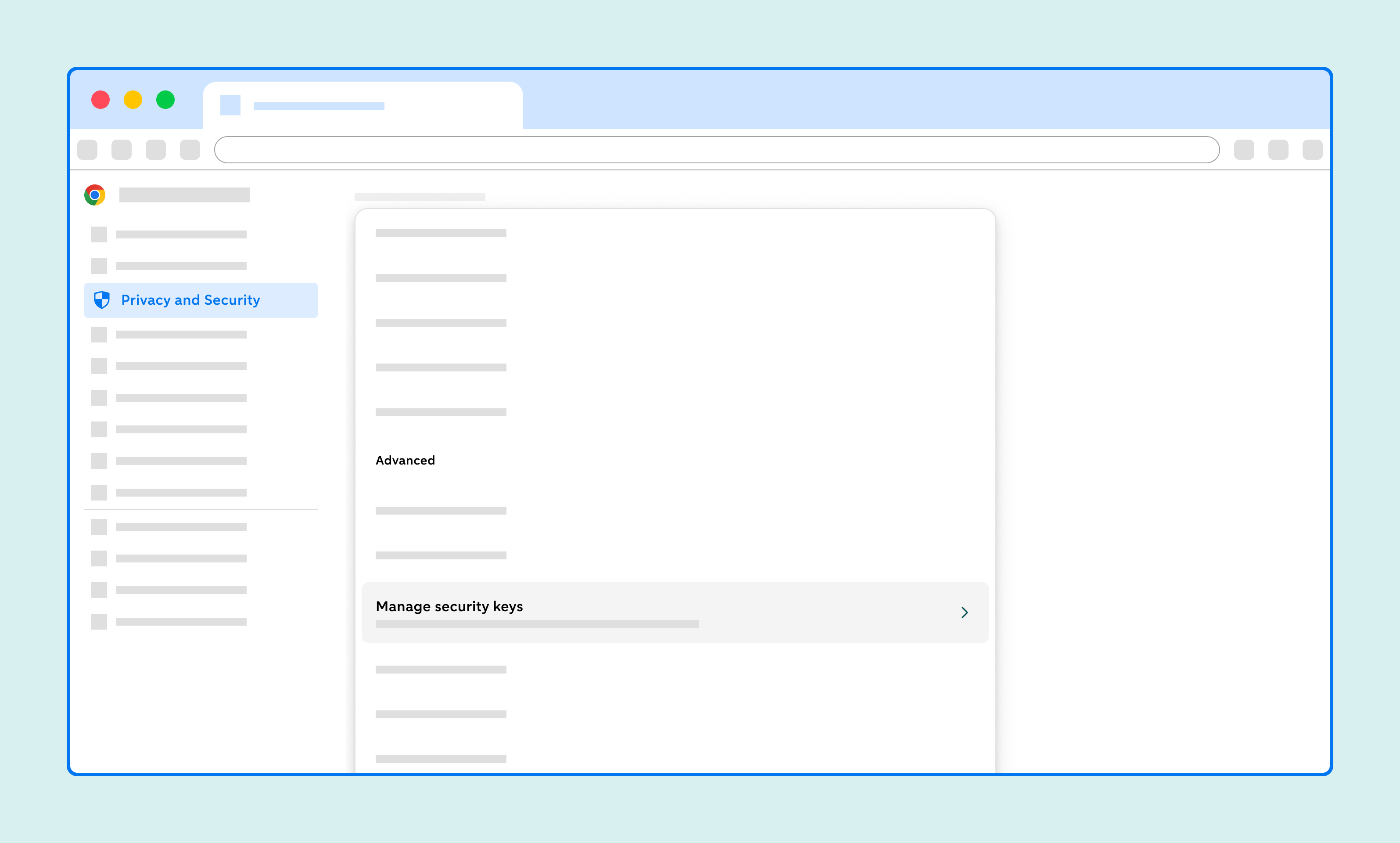
Go to Manage security keys
Click Manage security keys.
Go to Reset your security key
Click Reset your security key.
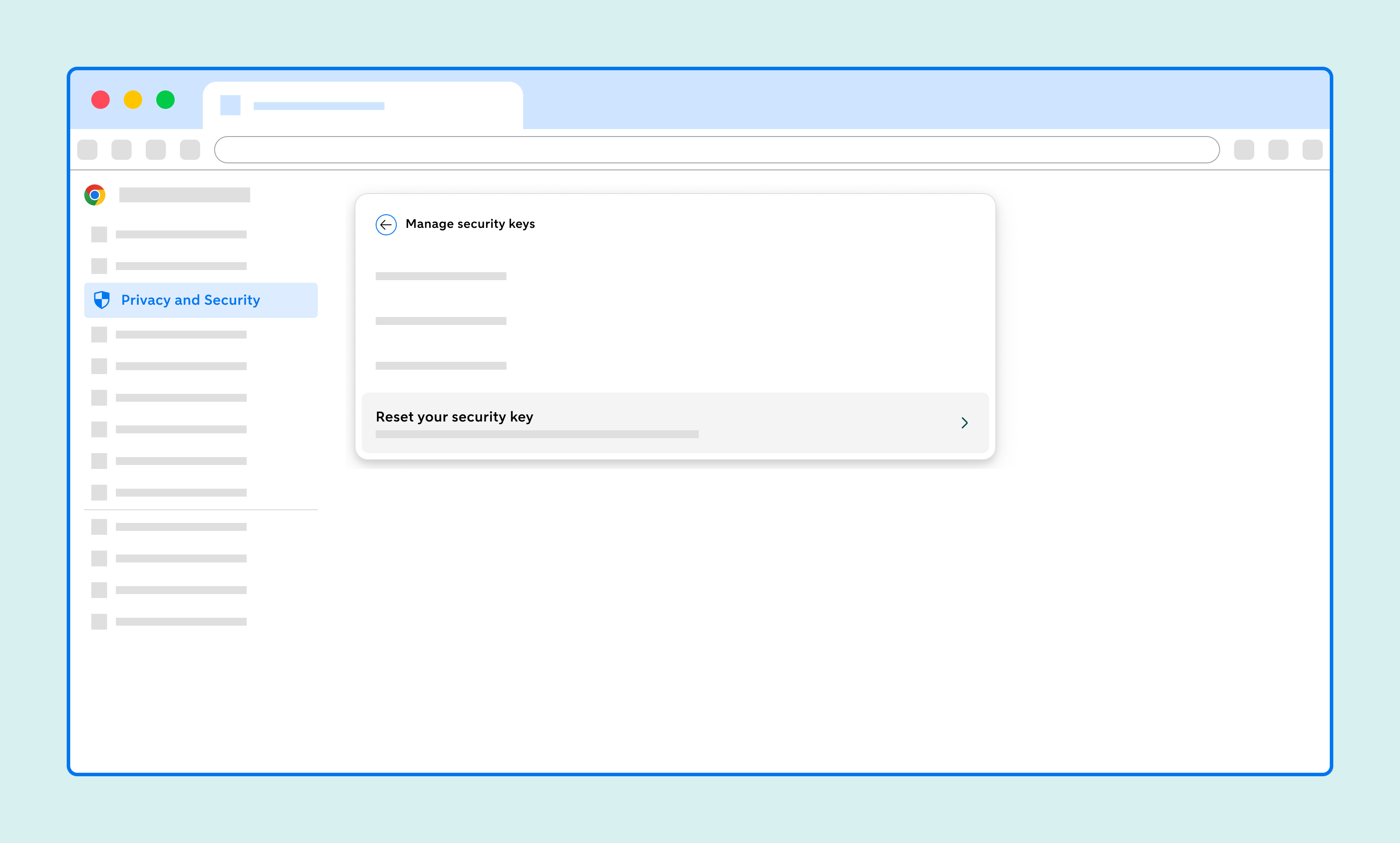
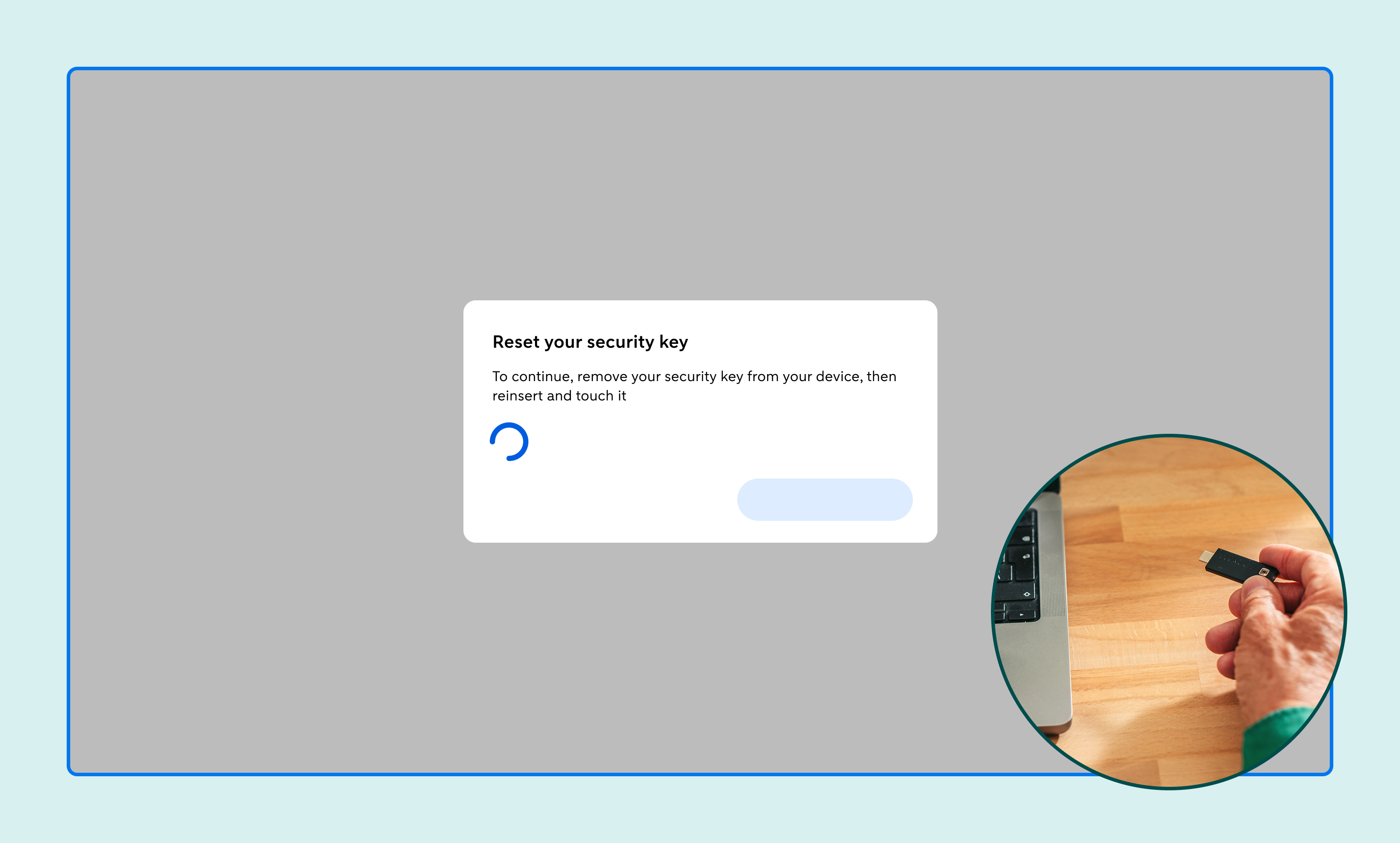
Follow the instructions in your browser
Follow the instructions in your browser: remove the security key, insert it back into your computer and then tap the back of the security key.
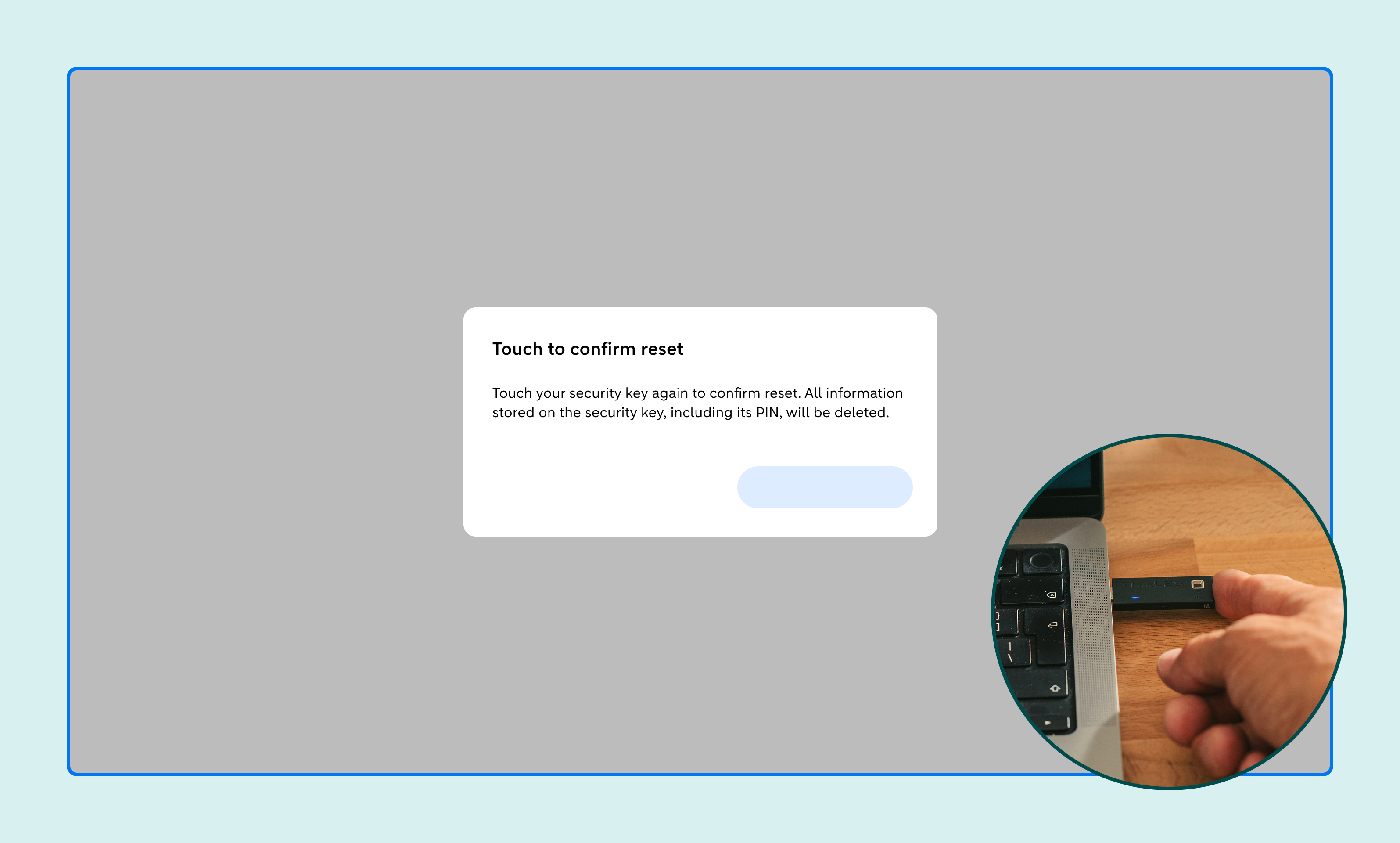
Tap again
Follow the instructions in your browser: tap the back of the security key again.
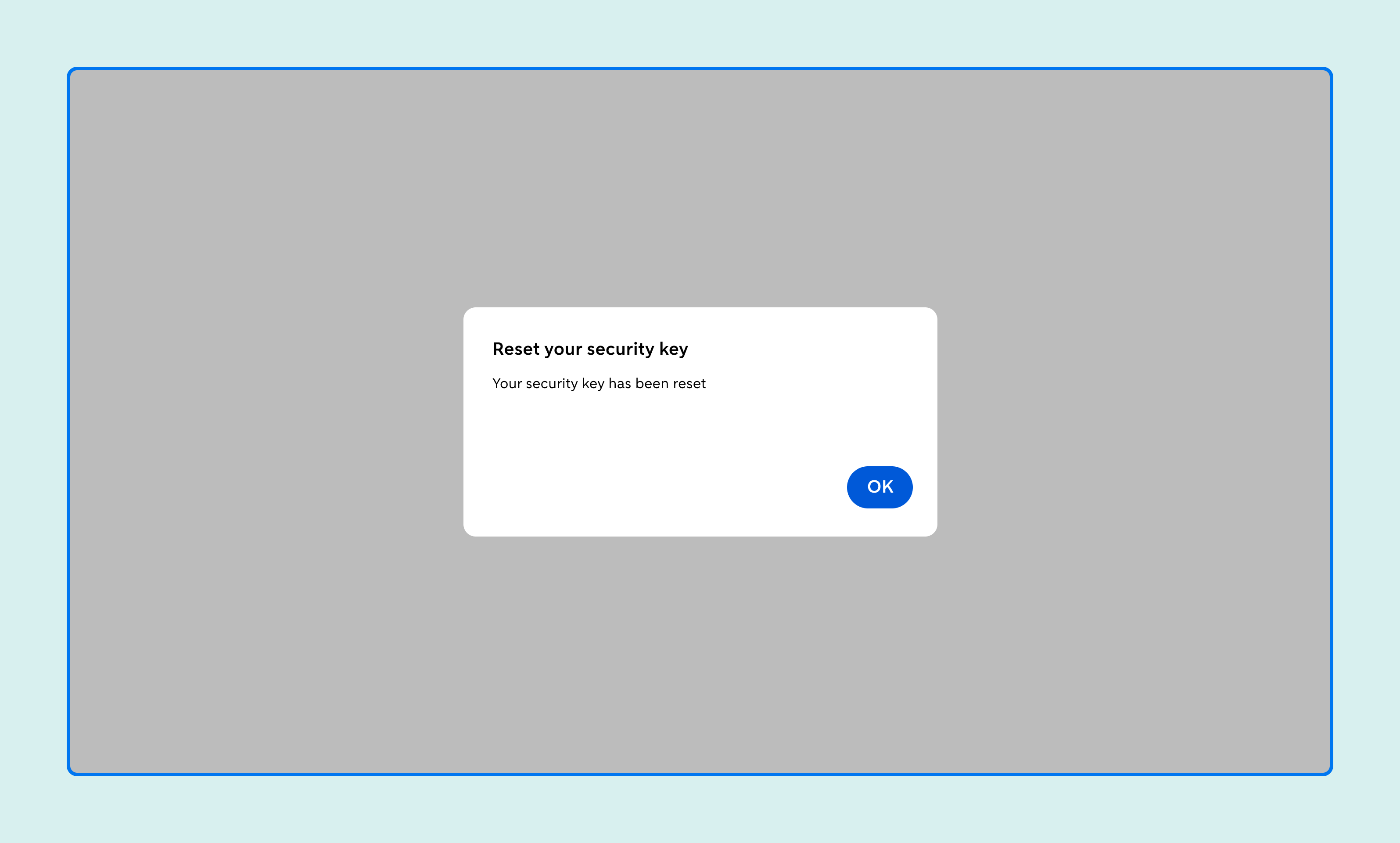
Confirmation
You’ll now get confirmation that your security key has been reset.
Re-register
You can now re-register the key on Internet Banking. Watch the video for a step-by-step guide to how this works.
Need more help?
Chatbot Anna

Chat with chatbot Anna. Does she not succeed in solving your problem? Then a member of staff will take over the conversation.
Call us

See all telephone numbers and opening hours.
Chatbot Anna
Chat with chatbot Anna. Does she not succeed in solving your problem? Then a member of staff will take over the conversation.
Call us
See all telephone numbers and opening hours.