


Keep on top of your finances
Using the ABN AMRO app
Control your money
- Your income and expenses at a glance
- Insight per category
- Help with cancelling subscriptions

Keep on top of your finances
Would you like to gain more insight into your money this year? Discover what Insights in the ABN AMRO app can offer you. With Insights you can see at a glance what your income, expenses and fixed costs are. We help you review and forecast your spending. We also give you smart tips on how to make savings and can even cancel your subscriptions for you. That can make a huge difference.
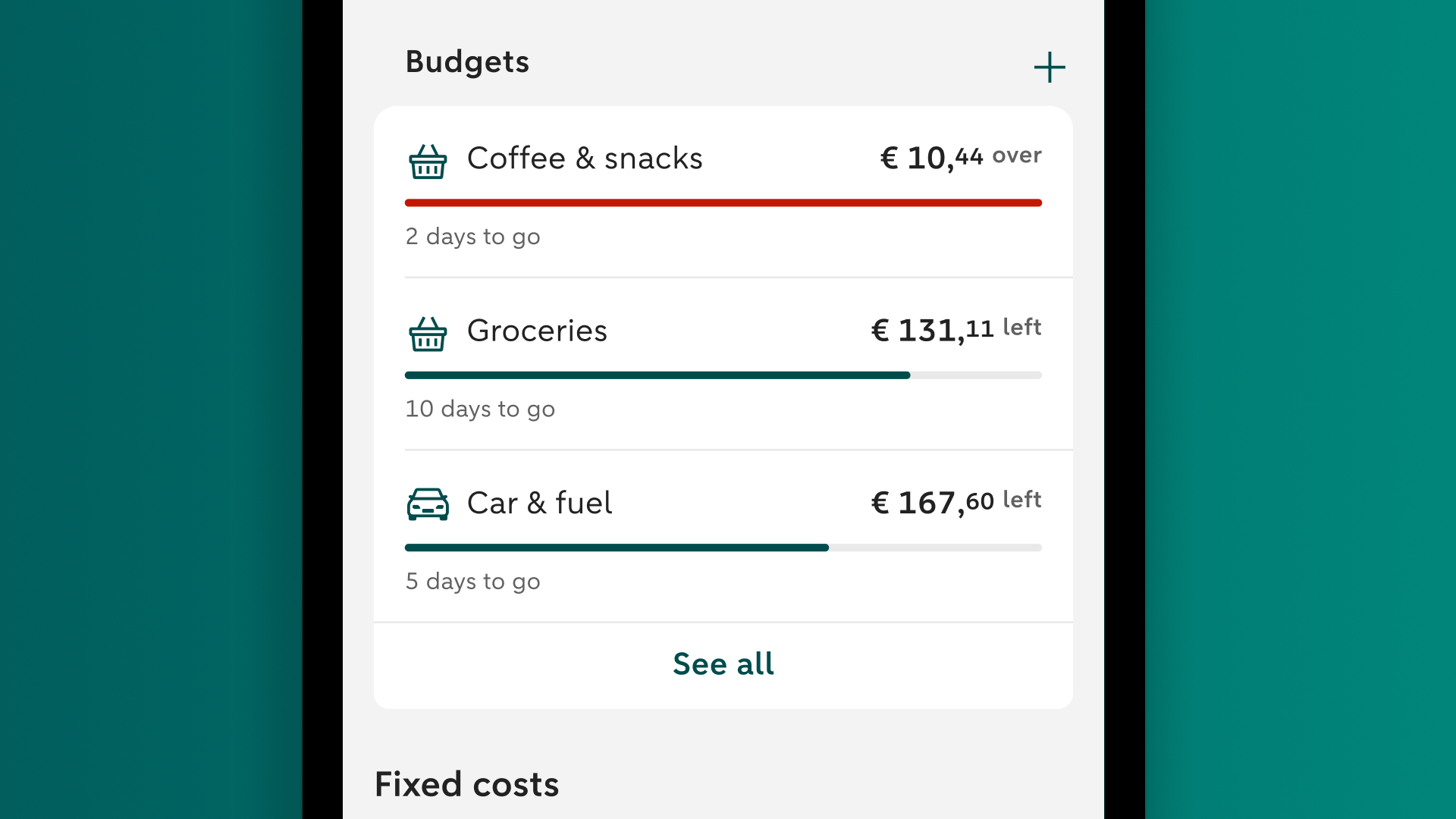
Budgets
Have you spent more than you would like without realising it? If so, use Budgets in Insights. Choose an amount, period and category that fit your plans. The app automatically tracks your spending. This helps you see how much you have left to spend and adjust your spending in time if needed.
How can Insights help you?
Income and expenses
With Insights you can see at a glance what your income and expenses are and how much money you have left. That’s great when you want to quickly check where you stand financially. Tap on ‘Income’, ‘Expenses’ or ‘Available’ to find out more about your transactions. You can also change the start date of your financial month, to match the date you receive your salary for instance.

Budgets
Have you spent too much on groceries, eating out or everyday purchases without realising it? If so, set up a budget in the app. The app automatically tracks your spending and shows whether you are staying within your budget. This way, you always know where you stand and can adjust your spending if needed.
Fixed costs
When you think of your fixed costs, the first things that come to mind are probably energy bills, rent or mortgage payments, and insurance. But subscriptions are also fixed costs, and you may have a lot more of them than you know. They may be for the gym, newspapers, streaming services or your accounting software. You can find all your recurring monthly expenses in one place, on the Fixed costs screen. Simply tap ‘Average per month’ to see all your fixed costs.

Transactions per category
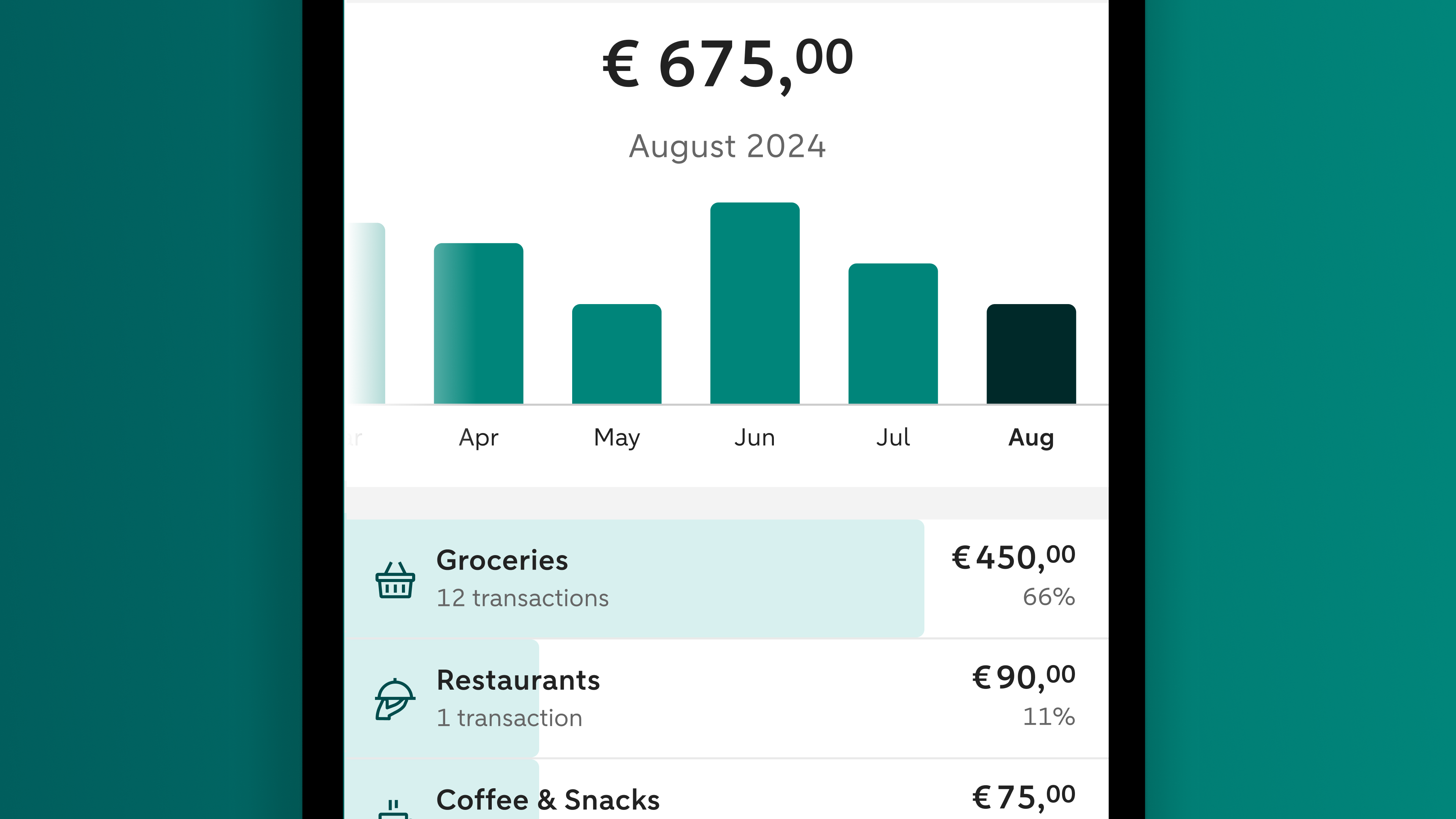
Discover what you spend each month on groceries, rent or mortgage payments, clothes and more. Or see what’s coming in, like your salary or pension payment, for example. To get you off to a flying start, Insight automatically sorts all your transactions for you. And you can move a transaction to a different category if you like. The app learns from this and will eventually sort your transactions into the right categories more quickly.
Forecast
Do you know what income and expenses you can expect this month? If not, you can soon find out. With Forecast you can look up to thirty days ahead so you won’t be caught by surprise later on. You can find Forecast on the ‘Future’ tab in your account overview.

Cancelling or pausing a subscription
If you're paying fees for subscriptions you don't actually use, you can cancel or pause them in de app. Under 'Fixed costs' tap 'Average per month'. Tap the subscription you don't need under 'Subscriptions'. The options 'Cancel' and 'Pause' will appear. Tap the option you want and we'll ask you for some extra information about you and the subscription. We'll use this information to ask the provider to cancel or pause your subscription.

Smart suggestions
To get more control over your finances, simply swipe through your smart suggestions. They are personal tips based on your income, expenses and such. It could be a reminder for you to cancel your free subscription before the trial period is up, for example. But also suggestions on how to cut your energy bill, or a step-by-step plan to help you cut costs when buying groceries. Get inspired and start saving now.

Bespaarcoach
Cutting your fixed costs starts with you working together with our Bespaarcoach to find the best ways to save money. Together you’ll compare deals for your insurance policies, TV and internet, SIM only contracts, and loans. Make an appointment for a video call with our Bespaarcoach.

Income and expenses
With Insights you can see at a glance what your income and expenses are and how much money you have left. That’s great when you want to quickly check where you stand financially. Tap on ‘Income’, ‘Expenses’ or ‘Available’ to find out more about your transactions. You can also change the start date of your financial month, to match the date you receive your salary for instance.
Budgets
Have you spent too much on groceries, eating out or everyday purchases without realising it? If so, set up a budget in the app. The app automatically tracks your spending and shows whether you are staying within your budget. This way, you always know where you stand and can adjust your spending if needed.
Fixed costs
When you think of your fixed costs, the first things that come to mind are probably energy bills, rent or mortgage payments, and insurance. But subscriptions are also fixed costs, and you may have a lot more of them than you know. They may be for the gym, newspapers, streaming services or your accounting software. You can find all your recurring monthly expenses in one place, on the Fixed costs screen. Simply tap ‘Average per month’ to see all your fixed costs.
Transactions per category
Discover what you spend each month on groceries, rent or mortgage payments, clothes and more. Or see what’s coming in, like your salary or pension payment, for example. To get you off to a flying start, Insight automatically sorts all your transactions for you. And you can move a transaction to a different category if you like. The app learns from this and will eventually sort your transactions into the right categories more quickly.
Forecast
Do you know what income and expenses you can expect this month? If not, you can soon find out. With Forecast you can look up to thirty days ahead so you won’t be caught by surprise later on. You can find Forecast on the ‘Future’ tab in your account overview.
Cancelling or pausing a subscription
If you're paying fees for subscriptions you don't actually use, you can cancel or pause them in de app. Under 'Fixed costs' tap 'Average per month'. Tap the subscription you don't need under 'Subscriptions'. The options 'Cancel' and 'Pause' will appear. Tap the option you want and we'll ask you for some extra information about you and the subscription. We'll use this information to ask the provider to cancel or pause your subscription.
Smart suggestions
To get more control over your finances, simply swipe through your smart suggestions. They are personal tips based on your income, expenses and such. It could be a reminder for you to cancel your free subscription before the trial period is up, for example. But also suggestions on how to cut your energy bill, or a step-by-step plan to help you cut costs when buying groceries. Get inspired and start saving now.
Bespaarcoach
Cutting your fixed costs starts with you working together with our Bespaarcoach to find the best ways to save money. Together you’ll compare deals for your insurance policies, TV and internet, SIM only contracts, and loans. Make an appointment for a video call with our Bespaarcoach.
What’s handy about Insight
Your income and expenses at a glance

What’s coming in and what’s going out? How much money do you still have available?
Insight per category

See exactly how much you are spending on groceries, insurance, clothes and more. Your income is also shown in categories.
Cancelling subscriptions

Say goodbye to subscriptions you’re not using any more. And if you’d like, we’ll be happy to cancel your subscription for you.
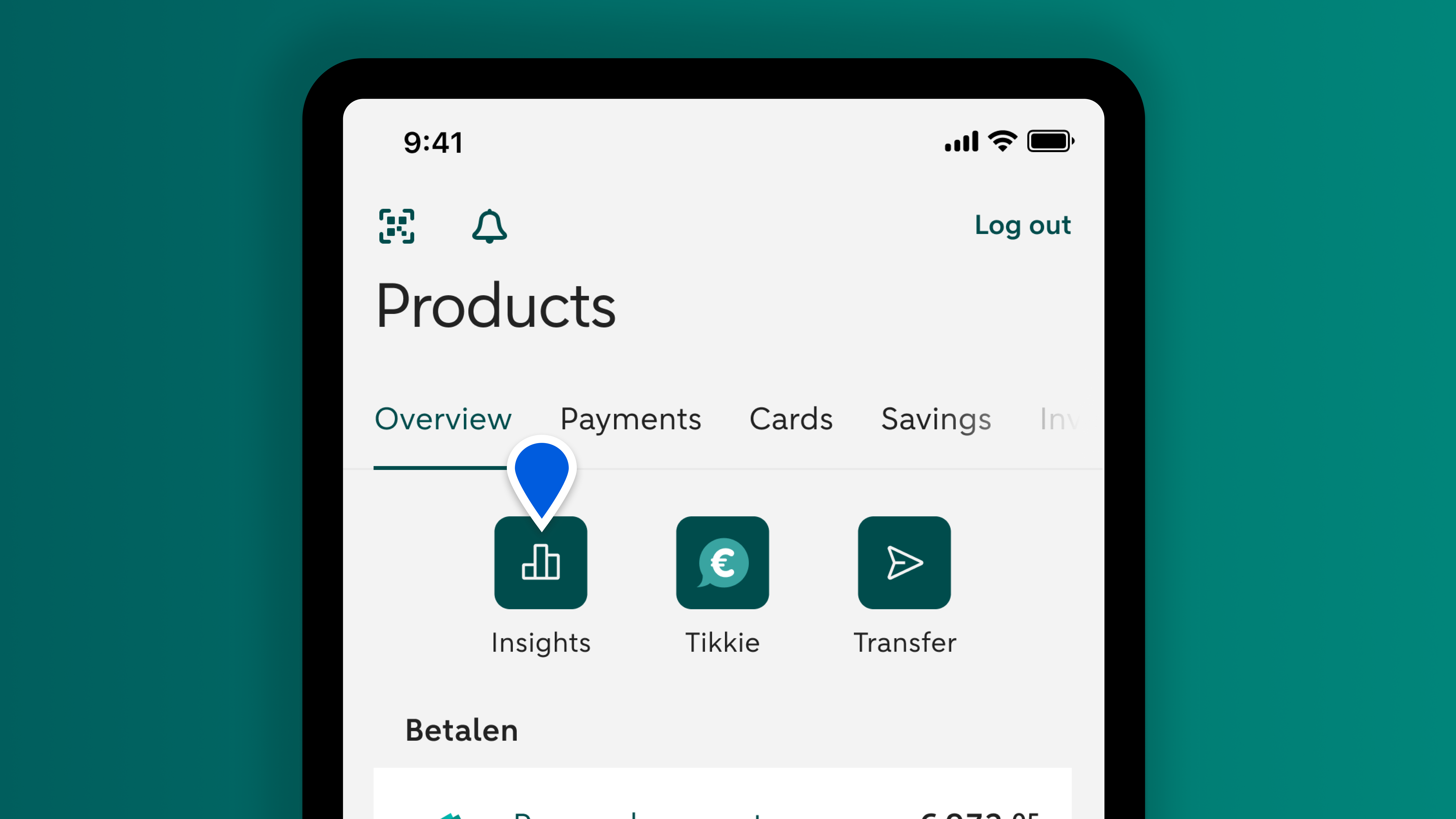
Enabling Insight
Log in to the ABN AMRO app. You'll see the 'Insights' button in your overview. Tap it. Tap 'Turn Insight on' and follow the steps and give permission in the last step by tapping the green button. Enabling Insight may take a couple of minutes.