
Javascript is required Cancel or pause subscriptions in Insights - ABN AMRO

Cancelling or pausing subscriptions

It only takes a minute in Insights

Want to cancel a subscription? You can often do this yourself in Insights. If you'd rather just pause your subscription, you can also do this in Insights for certain subscriptions. That's useful if there's a subscription you don't need for a while.

How to cancel or pause a subscription

Step 1 - Open subscription
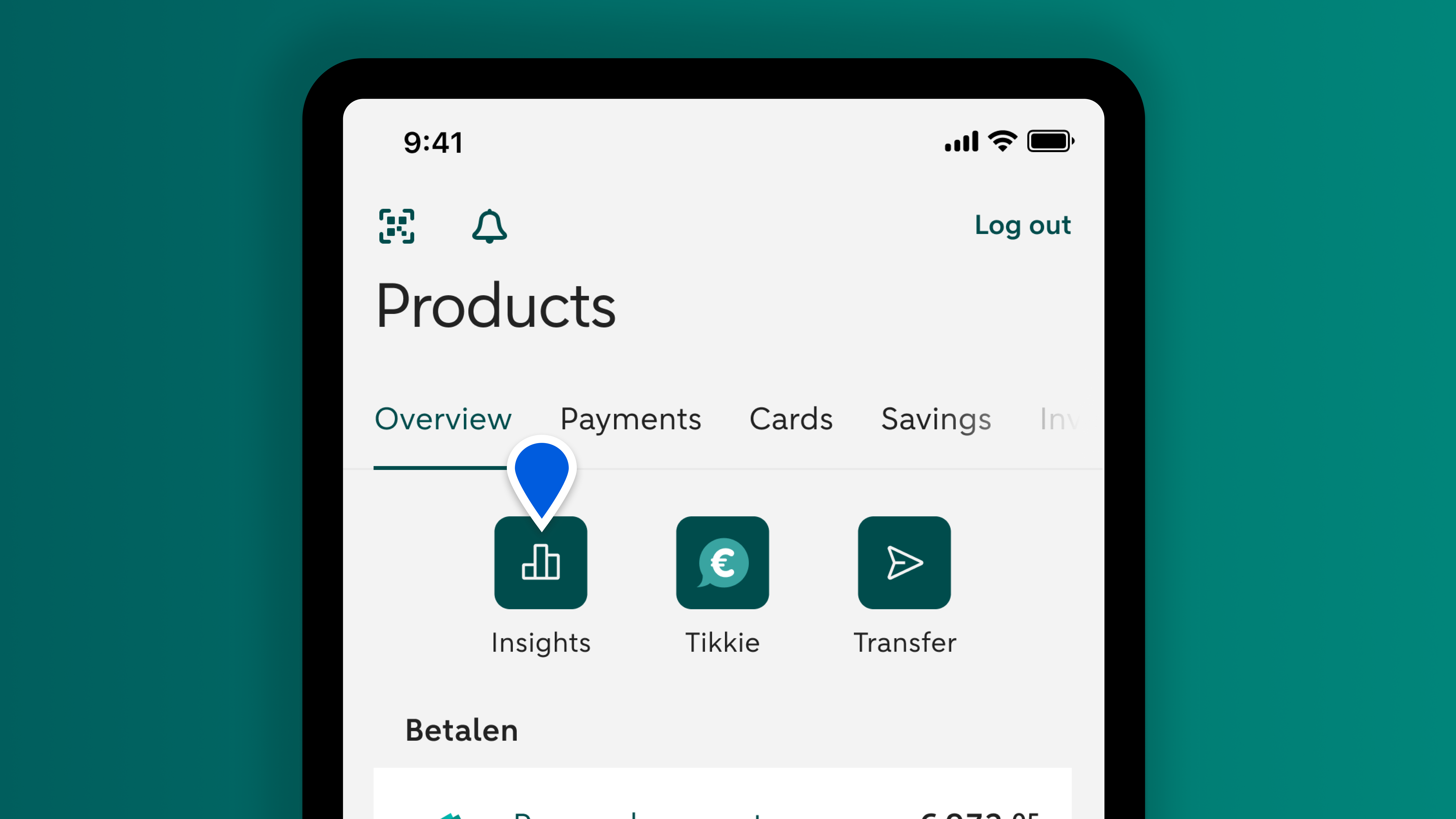
Log in to the ABN AMRO app. You'll see the 'Insights' button in your overview. Tap it.

Choose the account you use to pay the subscription. Scroll to 'Fixed costs'. Tap 'Average per month'. Find the subscription in the list and tap it.

Step 2 - Choose Cancel or Pause
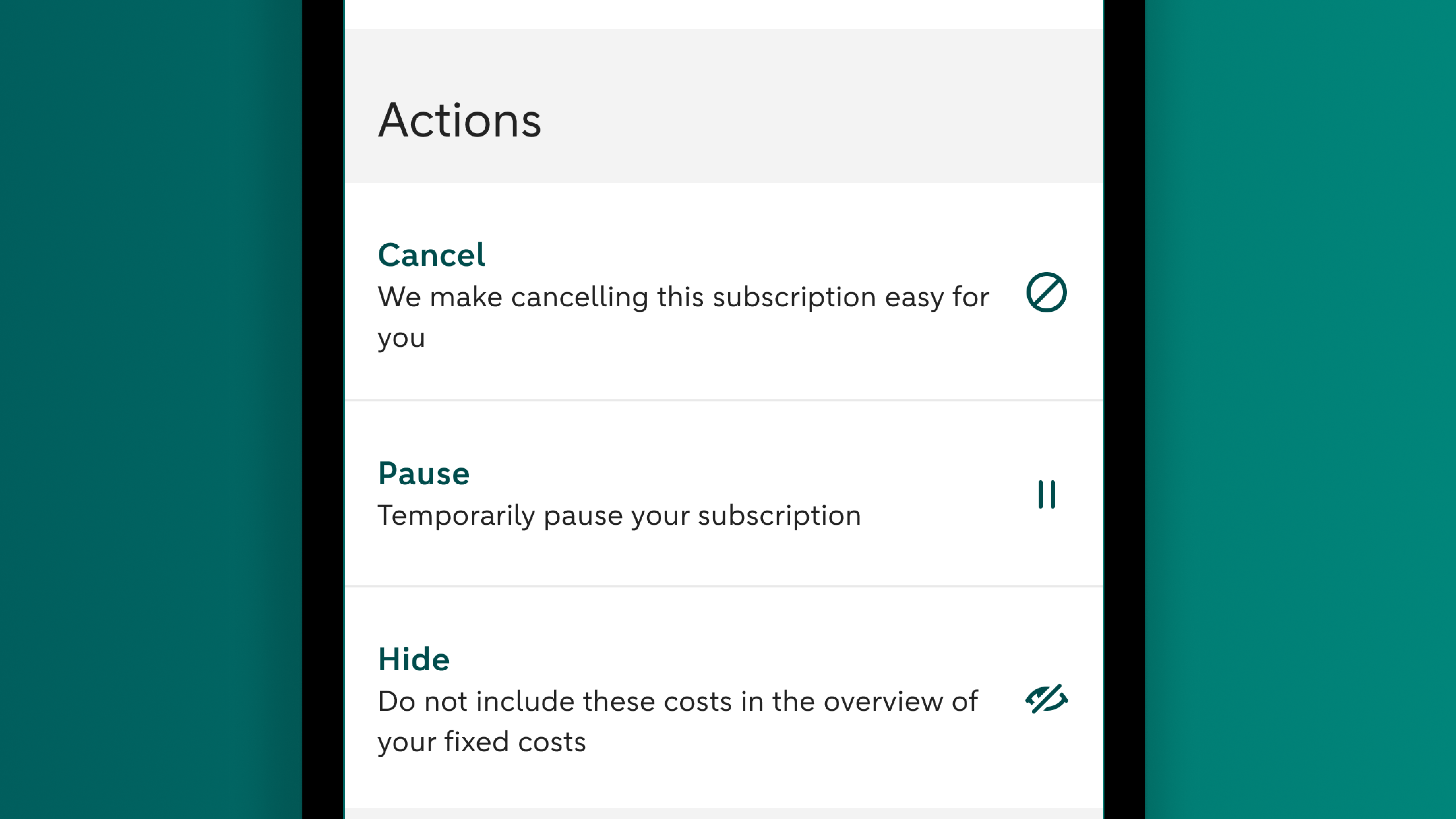
Under 'Actions', choose 'Cancel' or 'Pause'.

If you can't see these options, it’s because the provider of the subscription doesn't offer this service.

Step 3 - Enter the details
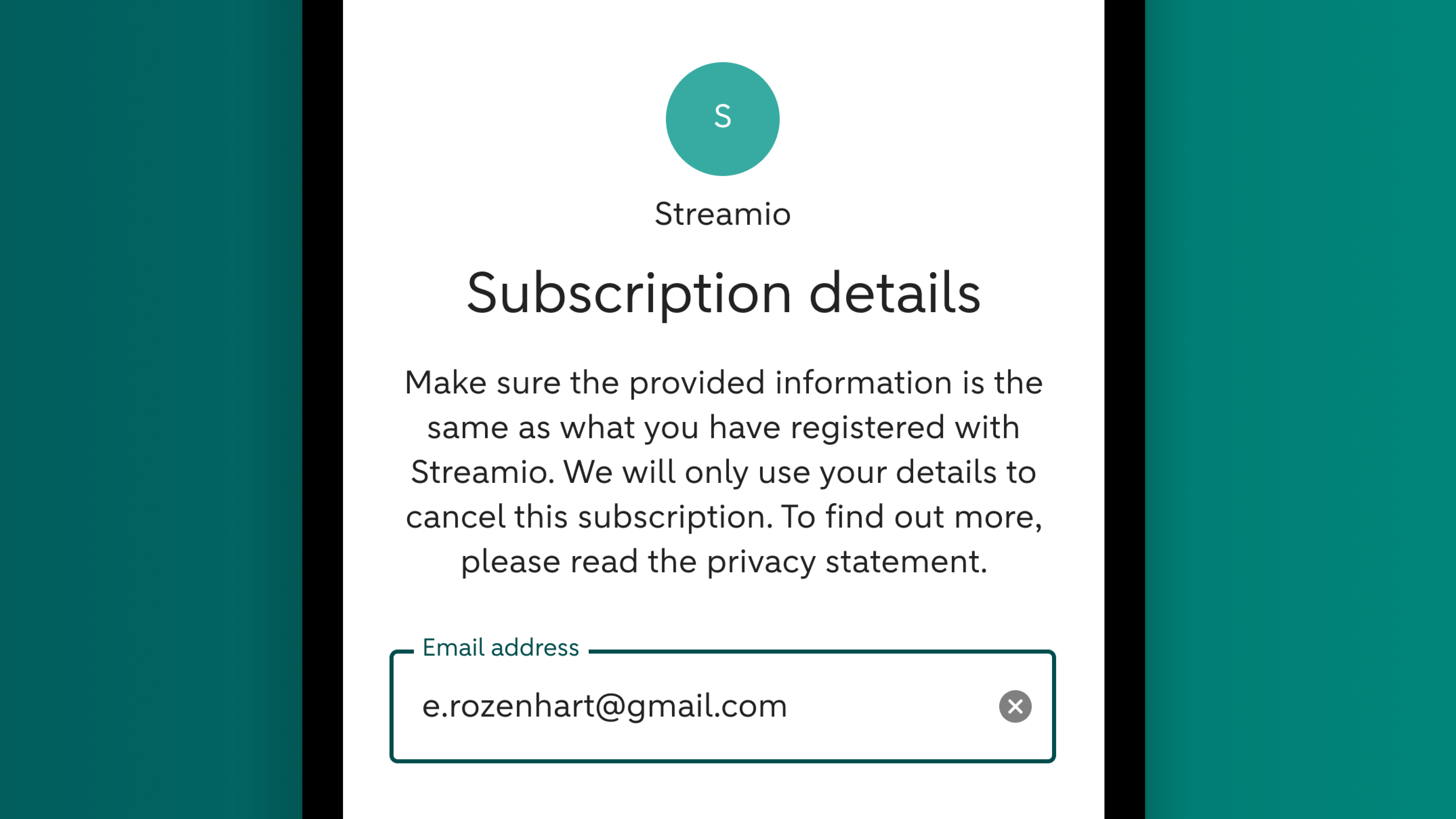
Enter the details you're asked for and confirm your request.

We'll keep you updated with a Bankmail message or push notification as soon as the change is processed.

About cancelling and pausing subscriptions

How can ABN AMRO cancel or pause subscriptions on my behalf?

We ask you for extra information in the app. This includes details of the subscription, personal details, authorisation to cancel or pause the subscription and a signature. This information allows us to cancel the subscription on your behalf.

How do I know if the cancellation or pause has gone through?

We’ll keep you updated through a notification in your 'Fixed costs', a Bankmail message and a push notification (if you've activated this service). We'll also send a message if we need more information.

When will the cancellation or pause take effect?

We'll send your request to cancel or pause the subscription as soon as you give your approval in the ABN AMRO app. The date this takes effect varies from one subscription to another. You may have to give notice of cancellation, for example, or the provider may need time to process your request.

Why can’t I cancel or pause every subscription?

You can cancel or pause various subscriptions in the ABN AMRO app, including those for streaming services or a sports club.

If the provider of a subscription offers this service, you'l see the option 'Cancel' or 'Pause' in the app. If you don't see this option, the provider doesn't offer the service.

Some types of subscription, such as your health insurance, can't be cancelled or paused in the app. This is why you won't see the option of cancelling next to every subscription.

Will I be charged a fee for cancelling or pausing a subscription?

No, it's free. It's just one of the many things we do for our clients.

I've paused my subscription but I want to restart it sooner than I first requested. Is this possible?

Not yet. Please contact the provider of your subscription yourself to go over your options. You'll find their details in Insights. Go to 'Fixed costs' and find the subscription that you've paused. Tap it to find the contact details.