
Banking made easy with the e.dentifier
The e.dentifier allows you to log in to Internet Banking and Access Online.
The e.dentifier allows you to log in to Internet Banking and Access Online. You also use the e.dentifier to confirm your orders, for example a payment instruction or batch payment.
When the e.dentifier is connected to your computer, the e.dentifier screen will give you information about the action you are performing (logging in or making a payment) or the payment (number of payments and total amount). You can see precisely what is happening.
Using the e.dentifier in connected mode makes things simpler: you only need to enter codes once rather than having to do so for each payment.
However, more people are choosing to log in with the ABN AMRO app. You can always update the app to a new version with the latest security. Read more about logging in with the app.

First login via Internet Banking or Access Online
Log in

Click on the yellow login button at the top right and select the e.dentifier.
E.dentifier

Put your debit card in the e.dentifier.
Follow instructions

Now follow the instructions on the screen.
Log in with the ABN AMRO App
Did you know that you can also log in with the ABN AMRO app? This method will replace the e.dentifier in the future. Logging in with the app is fast and secure!
Request E.dentifier
Did you know that you can also log in with the ABN AMRO app? This method will replace the e.dentifier in the future. Logging in with the app is faster and secure!
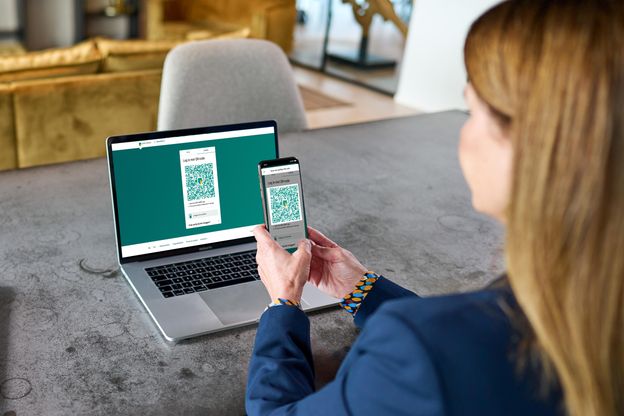
Logging in with QR-code
You may need to get used to logging in to Internet Banking with the ABN AMRO app on your telephone. It’s easy and secure. Just open the app and scan the QR code on your PC or laptop. You can carry on using Internet Banking as usual, but the process for logging in and confirming orders will be different. Find out how to log in using the ABN AMRO app.