Paying a bank
Do you need to make a payment to a bank, for example for a loan repayment or the sale of foreign currency? That bank will then ask you to pay them on the nostro/vostro account that it holds at their currency correspondent bank.
How to fill out the credit transfer screen?
- Beneficiary: the name and address of the bank that you have to pay.
- Beneficiary account: the account number on which that bank told you it wants to be paid on.
- Bank of the beneficiary: the BIC (SWIFT-code) of the bank that you have to pay.
- Intermediary bank BIC: the BIC (SWIFT-code) of the bank where the bank that you need to pay holds the account that it wants to be paid on. This will often be mentioned as Correspondent Bank in the instructions you have received.
Examples of payment instructions from a bank
When you receive payment instructions from a bank, they will contain the details shown below. The instructions from your bank may look different from this example, but the required details are the same. The images show where to enter these details in the Access Online payment screen.
Example 1
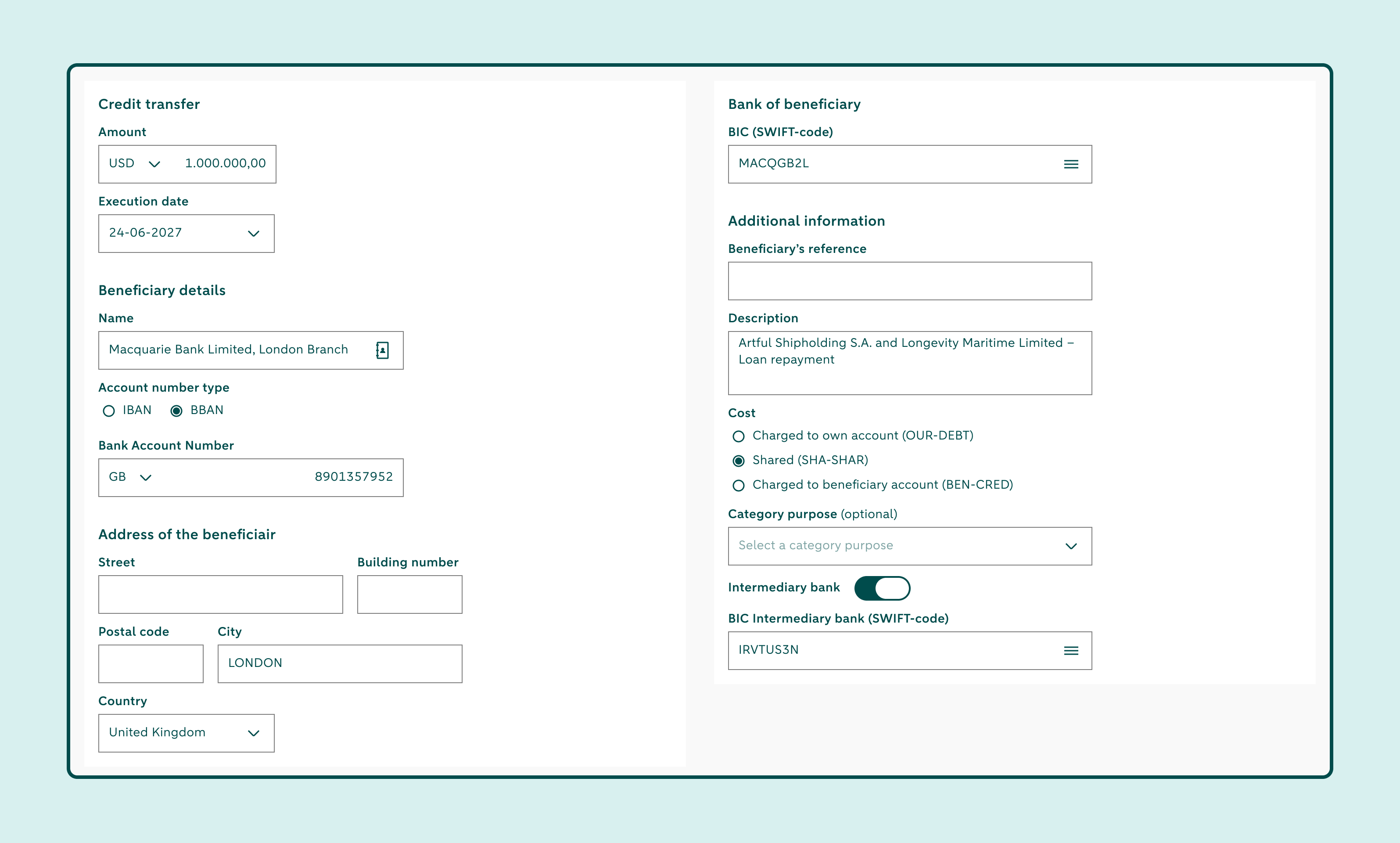
| Correspondent bank | Bank of New York Mellon, New York |
|---|---|
| SWIFT | IRVTUS3N |
| Account number | 8901357952 |
| Beneficiary | Macquarie Bank Limited, London Branch |
| SWIFT | MACQGB2L |
| Reference | Artful Shipholding S.A. and Longevity Maritime Limited – [insert payment description] |
Example 2
Correspondent bank information
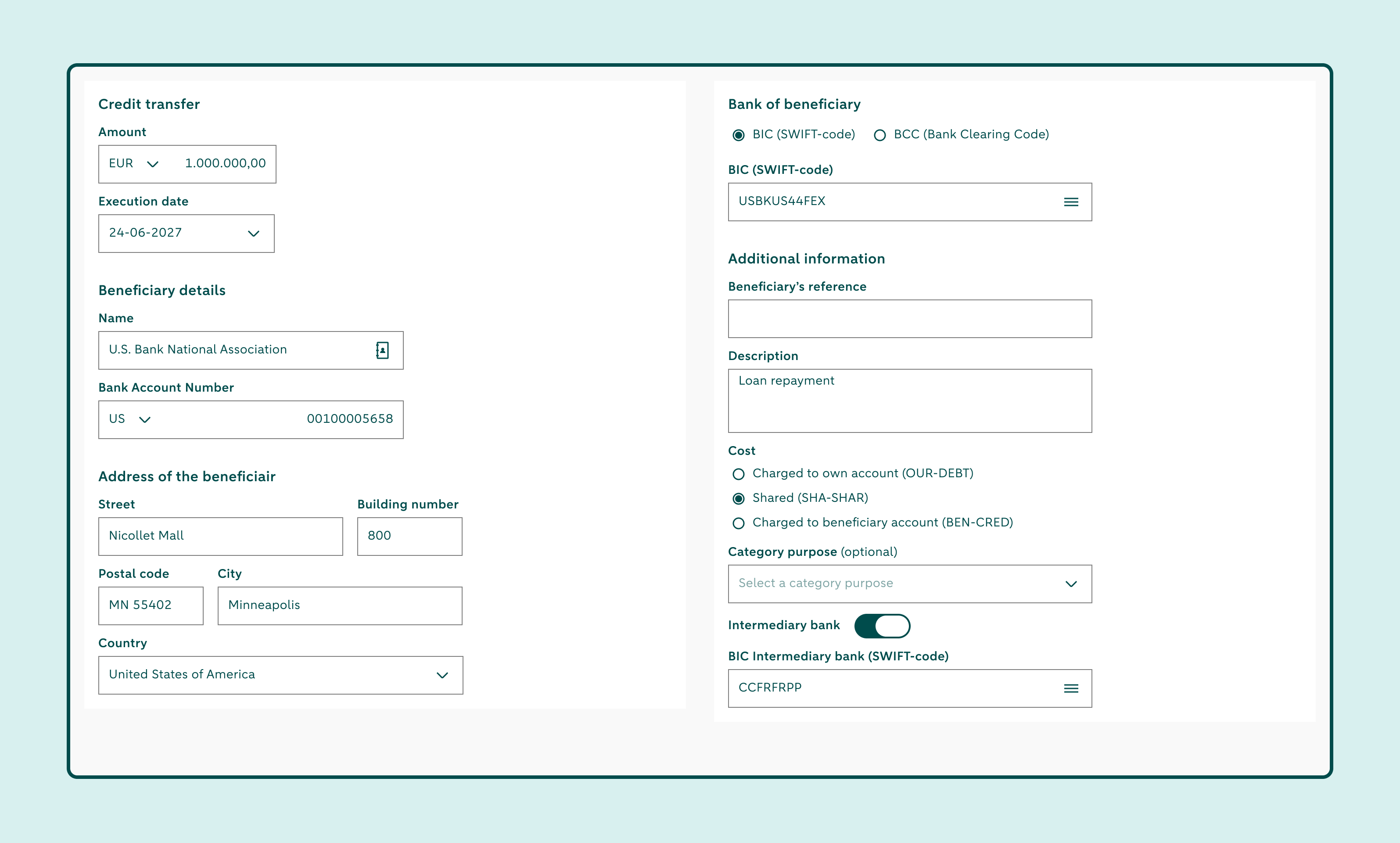
| Field 57 | SWIFT/BIC | CCFRFRPP |
| Name | HSBC Continental Europe (formerly HSBC France S.A.) |
Beneficiary information
| Field 58 | SWIFT/BIC | USBKUS44FEX |
| Acct number | 00100005658 | |
| Acct name | U.S. Bank National Association | |
| Address | 800 Nicollet Mall, Minneapolis, MN 55402 US |