
Set credit transfer limit per day
In Access Online, you can set a credit transfer limit per day in addition to authorization limits per transaction. For each credit transfer and credit transfer batch that is approved according to the per-transaction authorization limits, we check that this transaction also fits within the credit transfer limit per day. You set the credit transfer limit per day for each account separately.
The credit transfer limit per day applies to the transactions you send on that day. In doing so, we do not take into account the requested execution date of the transaction.
Don't set a transfer limit per day? Then only the per-transaction authorization limits that you have set for users and accounts will apply.
How to set a credit transfer limit per day
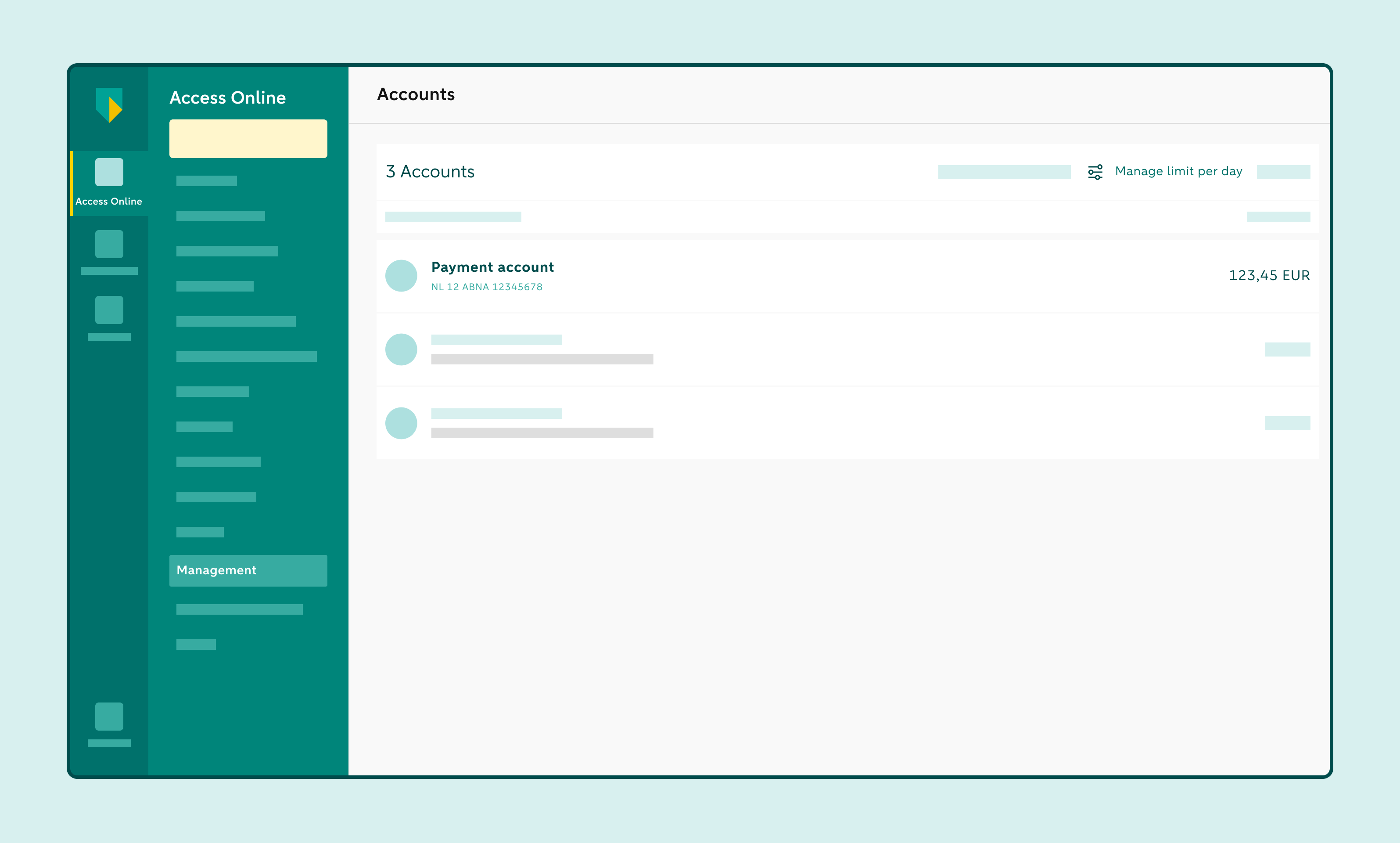
Click on Accounts and choose Manage limit per day.
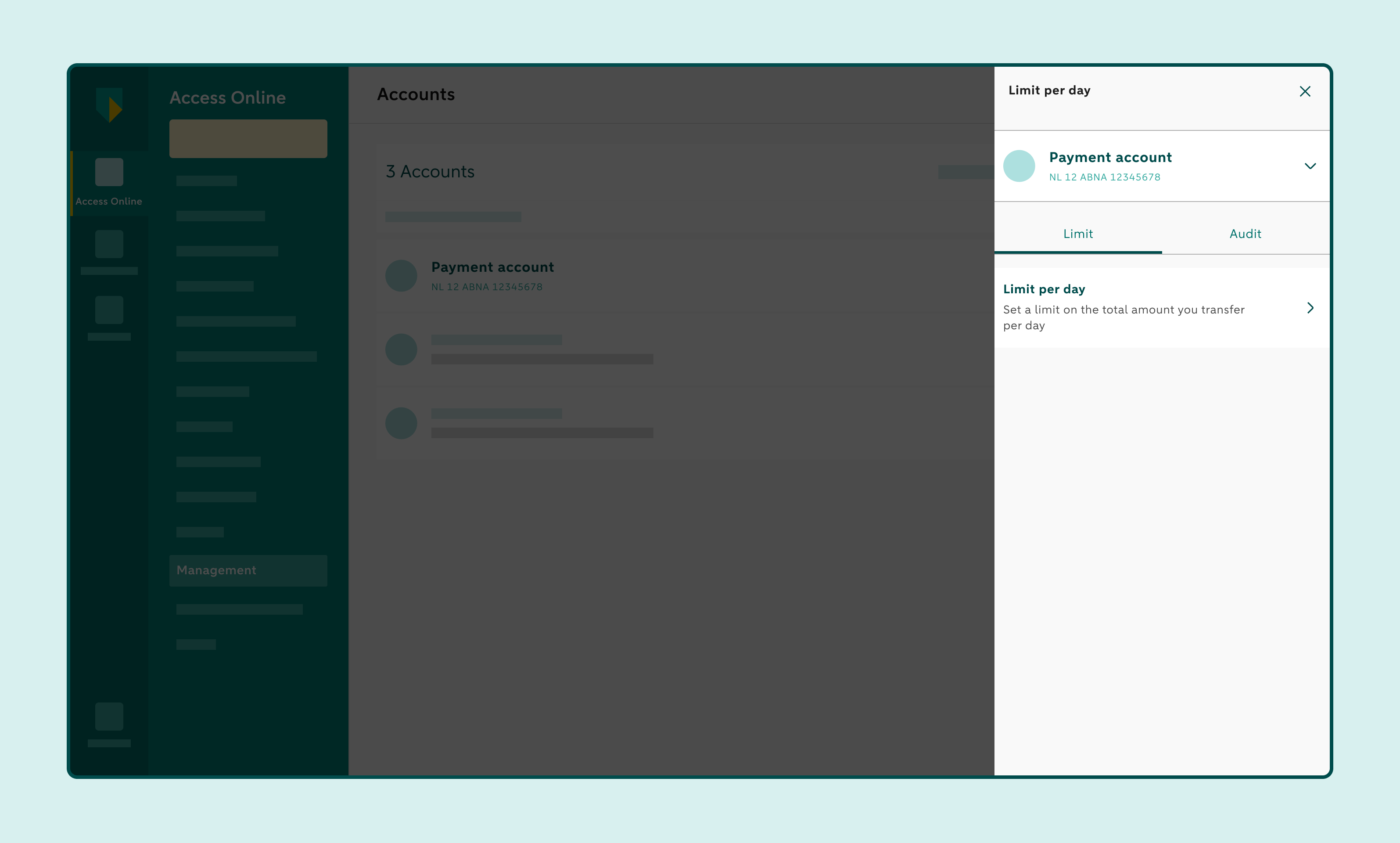
Select the account and choose Limit per day.
Enter the amount for the credit transfer limit per day that should not be exceeded.
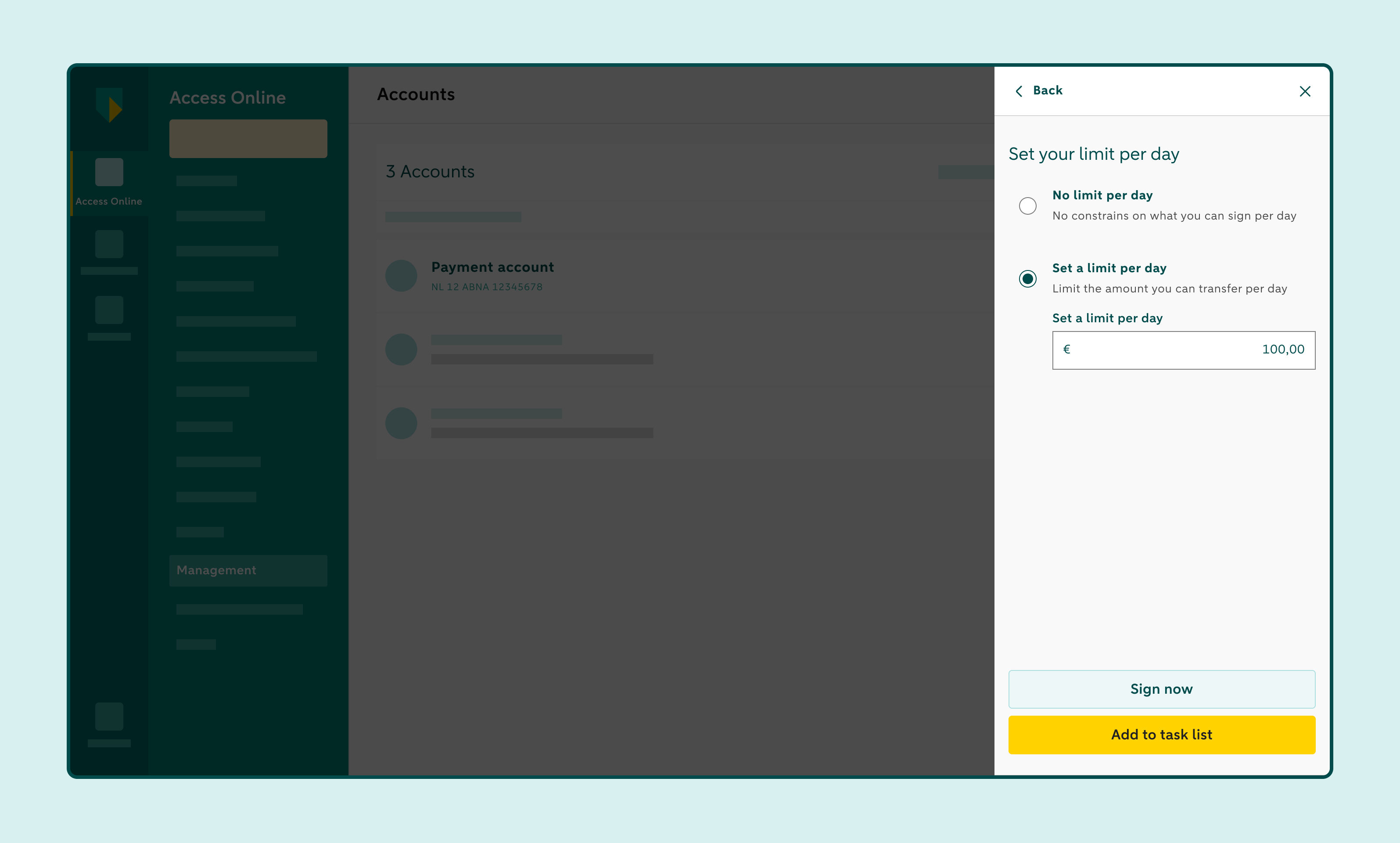
Click Go to confirm to approve the limit immediately, or Add to task list if you want to do it later.
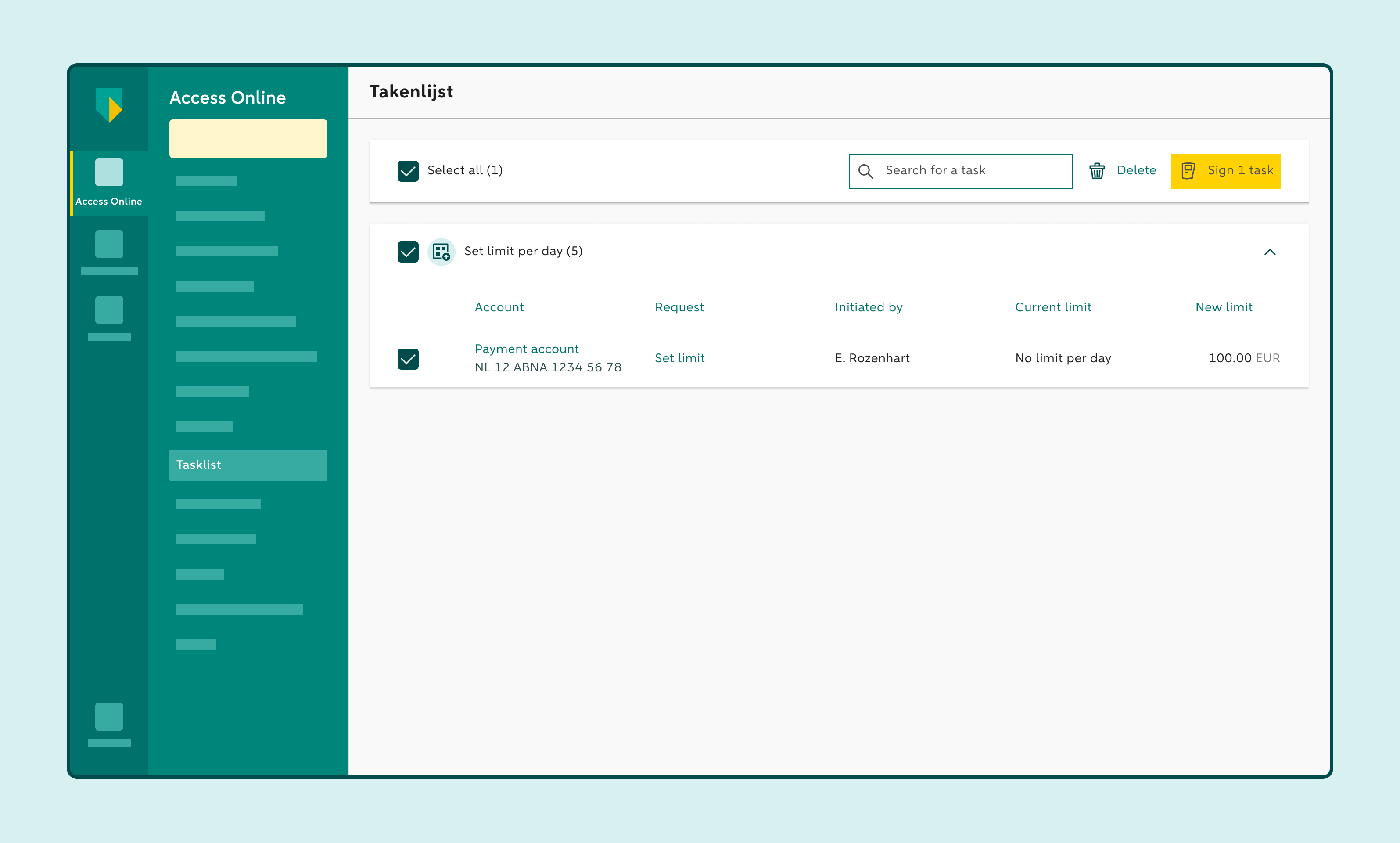
Do you choose Add to task list? Then approve the new credit transfer limit later via the task list. After that, the new limit per day will become active immediately.
How to edit a credit transfer limit per day
Click Accounts and choose Manage limit per day.
Select the account and choose Use limit per day.
Enter the new amount.
Click Go to confirm to approve the new limit immediately, or Add to task list if you want to do it later.
Do you choose Add to task list? Then approve the new credit transfer limit later via the task list. After that, the new limit per day will become active immediately.
You can also easily remove the credit transfer limit per day. After that, only the set authorization policy per transaction applies.
How to remove a credit transfer limit per day
Click Accounts and choose Manage limit per day.
Select the account and choose Limit per day.
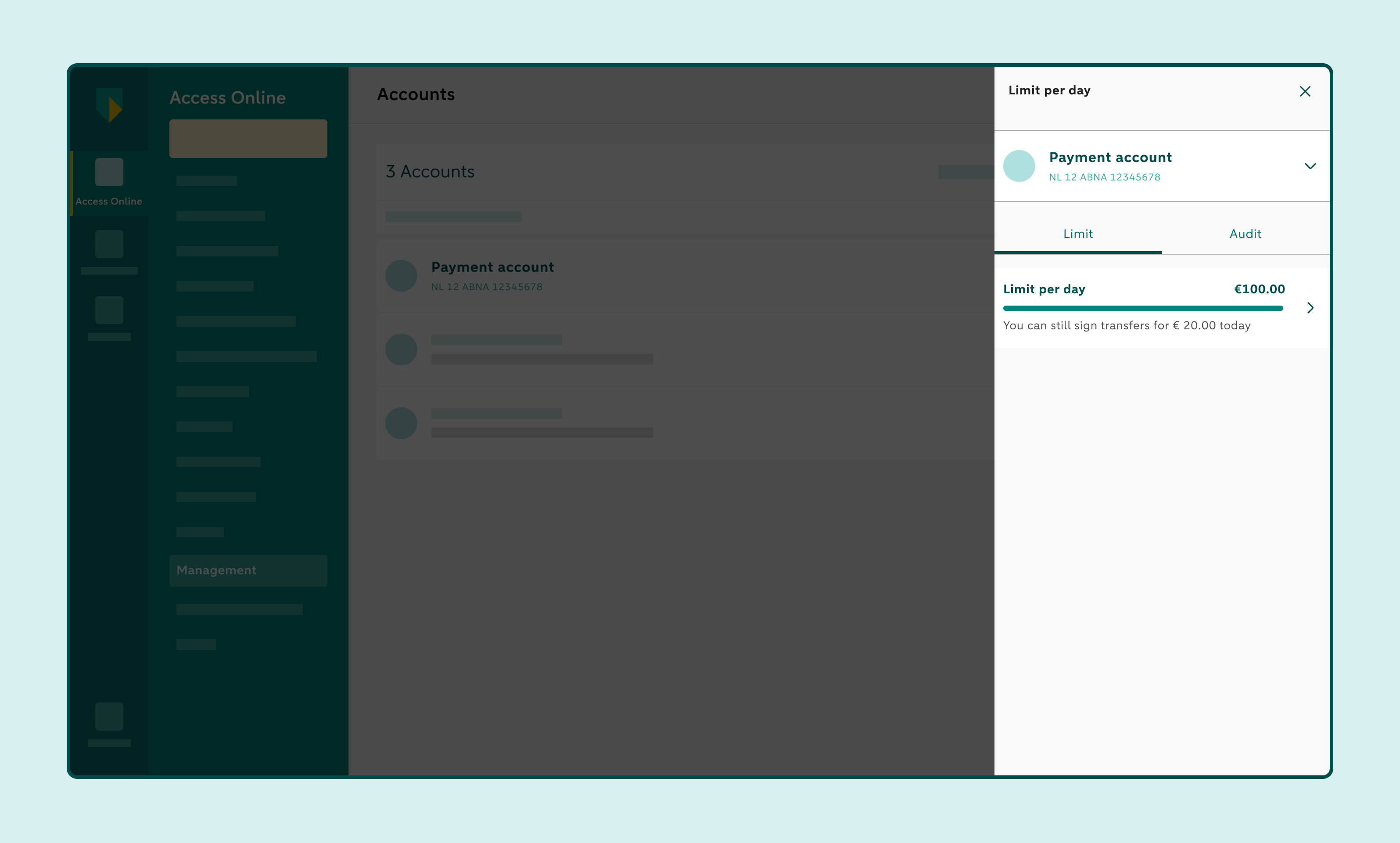
Choose No limit per day.
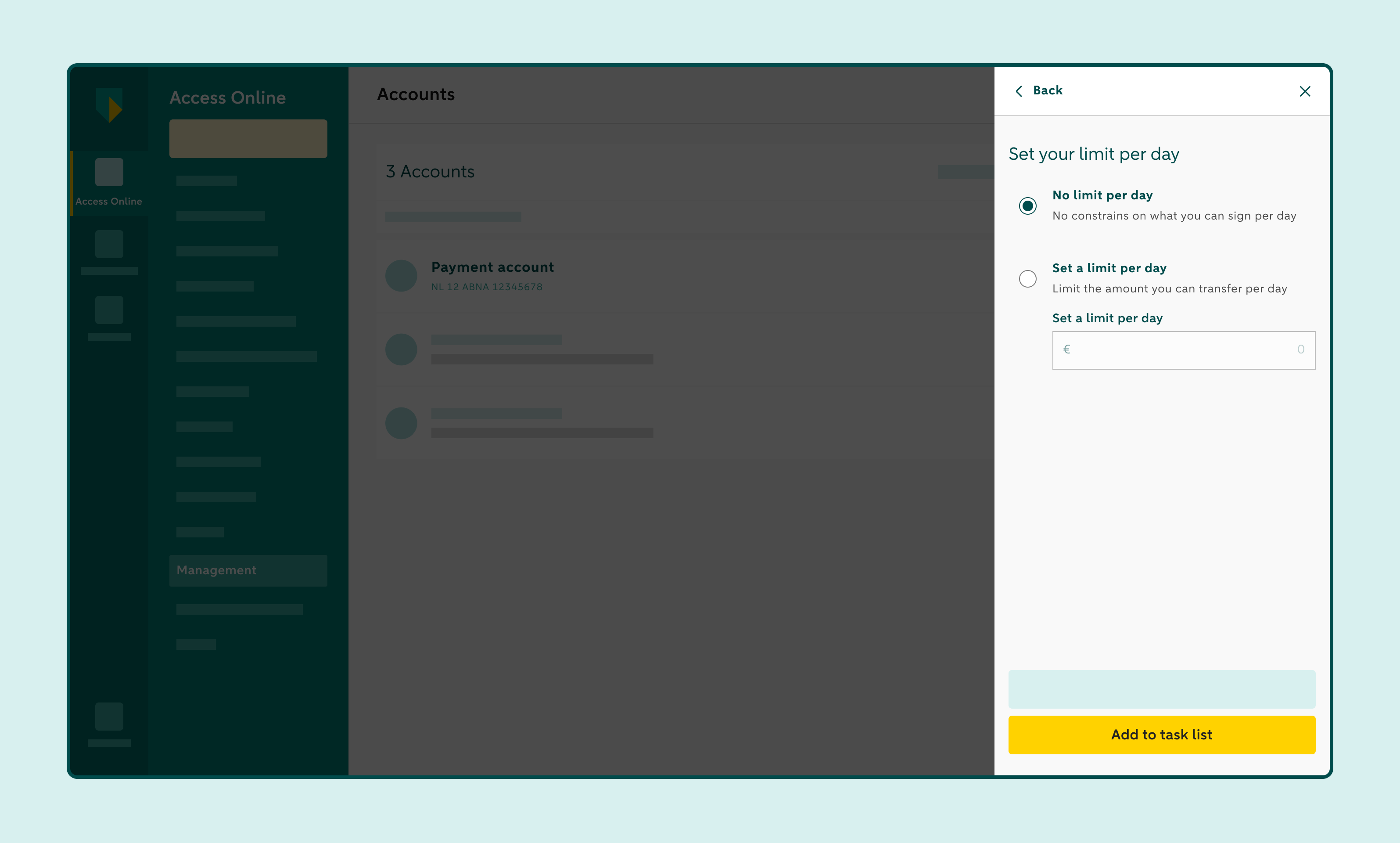
Click Go to confirm to approve the change immediately, or Add to task list if you want to do it later.
Do you choose Add to task list? Then approve the change later via the task list. Once approved, the credit transfer limit per day is removed immediately.
Setting a credit transfer limit per day doesn't change the way transactions are approved. For example, are two signatures required to approve a credit transfer? Then it stays that way.
Example
According to the authorisation policy, one person may approve instructions up to a maximum of € 1 million. Is the credit transfer limit per day set at €2 million? Then that person can still transfer a maximum of € 1 million per transaction. However, that person can approve multiple transactions until the limit per day of €2 million is reached.
Important
To set a credit transfer limit per day, a user must have the appropriate SET_DAILY_LIMIT role. This role can only be used in conjunction with either the ACCESS_REPORTS_SALARY_AND_NON_SALARY role or the ACCESS_REPORTS_NON_SALARY role. The Access Online administrator can assign these role(s) via the administration module.
The credit transfer limit per day applies to all types of credit transfers: SEPA credit transfers, non-SEPA credit transfers, and SEPA credit transfer batches. This limit does not apply to SEPA direct debit batches.