
Updating and signing off on the user administration
Management
Go to: AOL Classic > Administration > Security > Users
Updating the administration
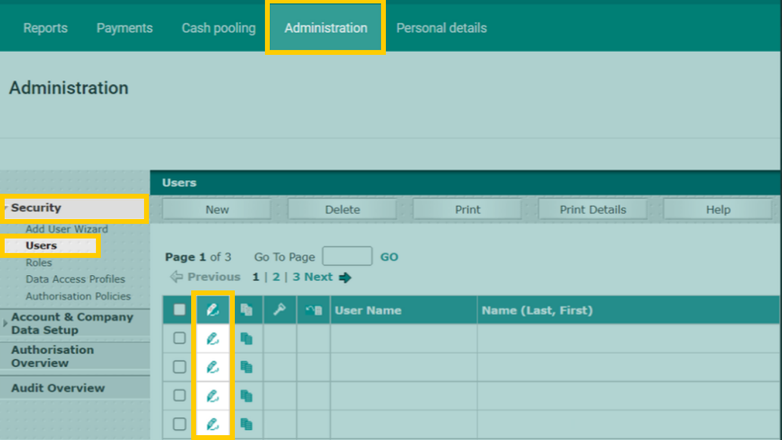
- The window shows a list of all users. Click the 'pen' next to a username to open the details screen.
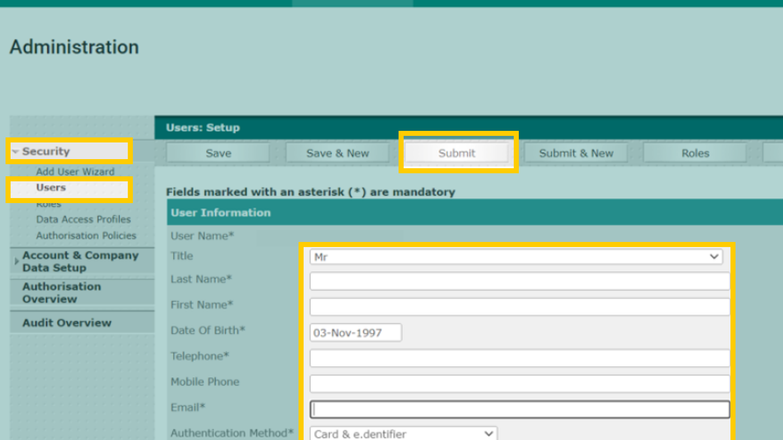
- Enter the following user details as they are shown in the passport: first name, last name, date of birth. The username stays the same; it cannot be changed for existing users.
- Once you have filled in these details, click 'Submit' at the top of the screen.
- Repeat this process for all users in your administration.
- Once all users have been updated and submitted, you can authorise them in the authorisation overview. If you are unable to click a change in the authorisation overview, this means that a colleague needs to approve the changes.
Signing off on the user administration for correctness
- If you need to sign off on the user administration, a pop-up screen will appear. This screen will appear every day when you go to ‘Users’ and click the pen next to the username, until you have signed off on the user administration. So if you do not do this today, the pop-up will appear again tomorrow.
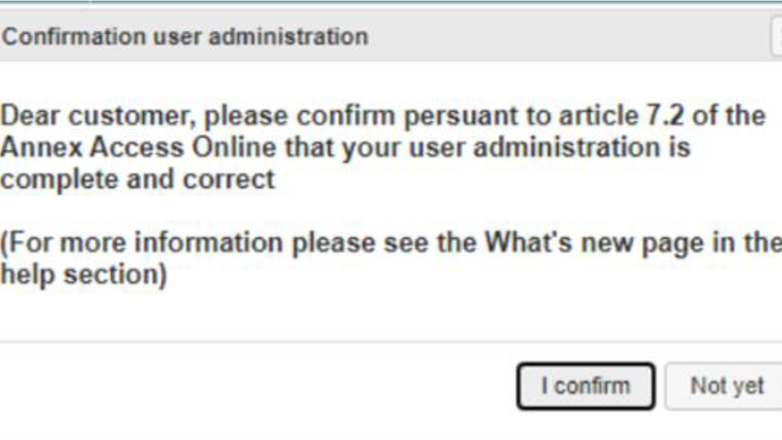
- Click 'I confirm' if the user administration is correct.